Join the LinkedIn Public Group – NextOps: Dev, Cloud & Intelligence to connect with professionals, share knowledge, ask questions, and grow together.

Azure VNet Peering Explained: A Beginner's Guide with Hands-On Lab
In this blog, I explain the fundamentals of Azure VNet Peering in a simple and practical way. Learn how to connect virtual networks securely using Hub-and-Spoke architecture. I also cover the purpose of each VNet peering setting and when to use it. Finally, I demonstrate a hands-on implementation using the Azure Portal with VM connectivity testing. A helpful guide for anyone starting their Azure networking journey.
NETWORKINGAZUREAZ-104
Madhubanti Jash
7/18/202613 min read
Prerequisites
You have passed AZ-900 or you have basic knowledge of Azure
If you are unsure where to begin your journey to learn Azure Networking, START HERE
In this blog we will learn
What is VNET Peering?
Regional VS Global VNET Peering
Hub and Spoke Architecture
Cross Tenant VNET Peering
Subnet Peering
Different settings in VNET Peering
Hands-on lab
What is the default behaviour of the Azure VNET?
By default, Azure VNETs are completely isolated from each other and cannot communicate with each other through private IP addresses. To make them capable of communicating with each other, you need VNET peering.
Suppose you have:
VNET A → VNET A, Web Server
VNET B → SQL DB
Without peering web server cannot reach SQL privately.
What is VNET Peering?
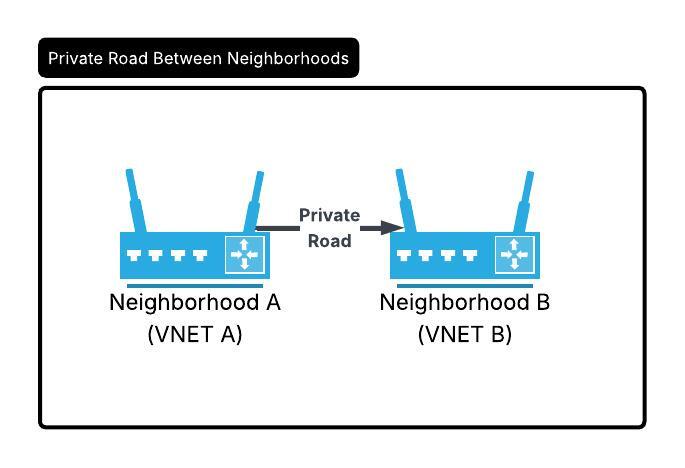
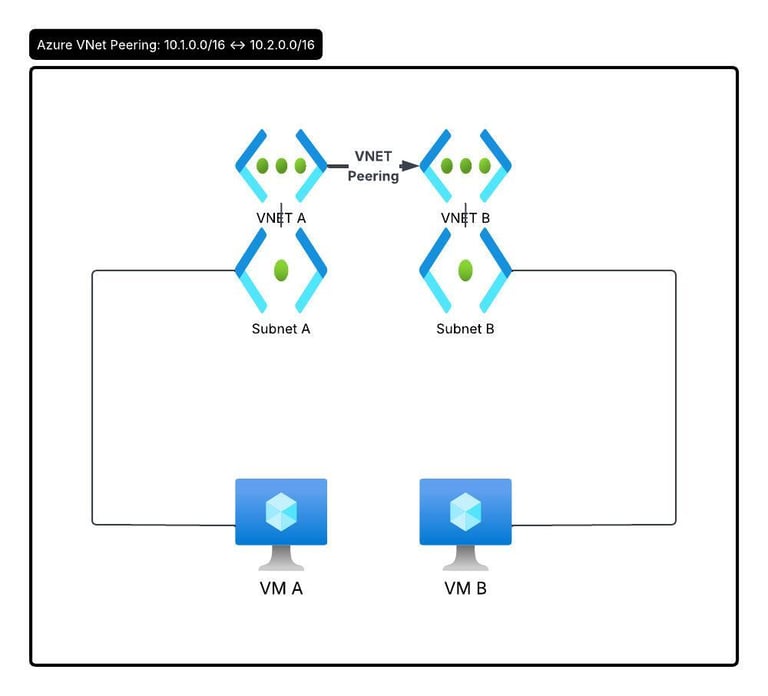
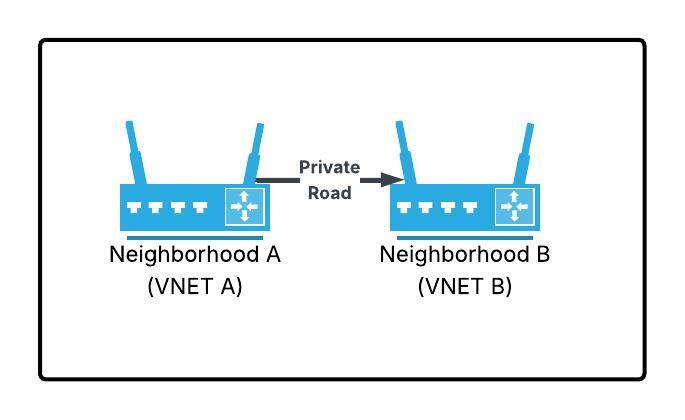
If you consider VNET as a neighborhood and VMs, databases, apps as houses and offices inside the neighborhood; peering is building private roads between neighborhoods so traffic does not need to go on public highways (the internet).
With VNET Peering:
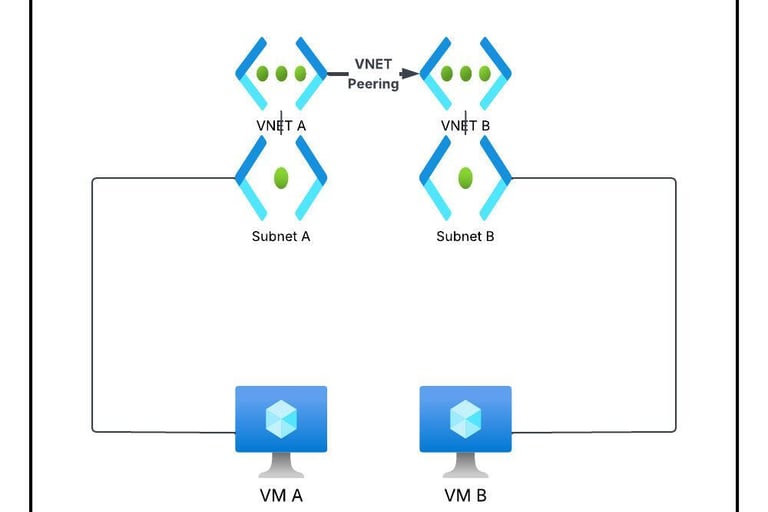
VM1 in VNET A can talk to VM2 in VNET B.
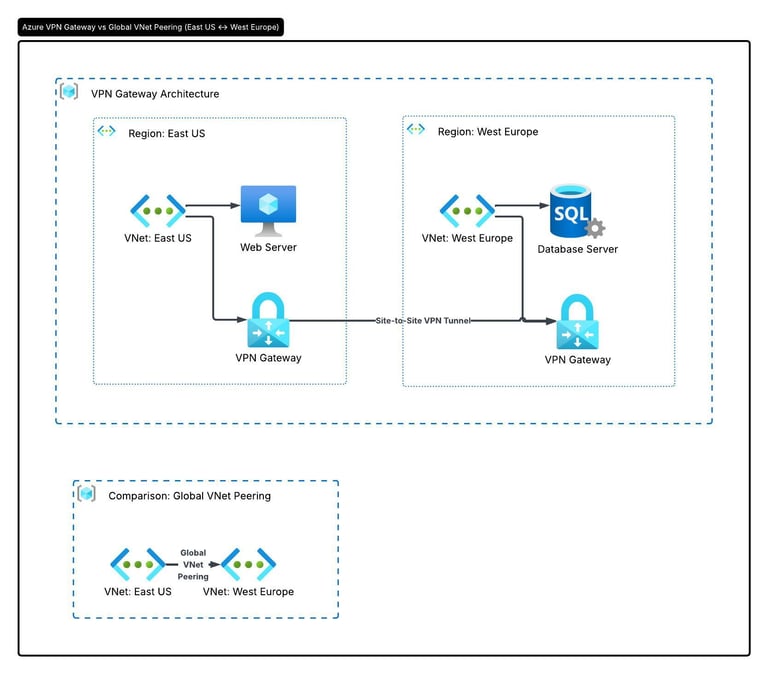
With peering, web server in VNET A connects directly to SQL DB in VNET B over Azure's private backbone Network. Traffic does not get exposed to public internet. You do not require any VPN Gateway and latency remains very low.
All communication remains within Microsoft's backbone network.
Global VNET Peering:
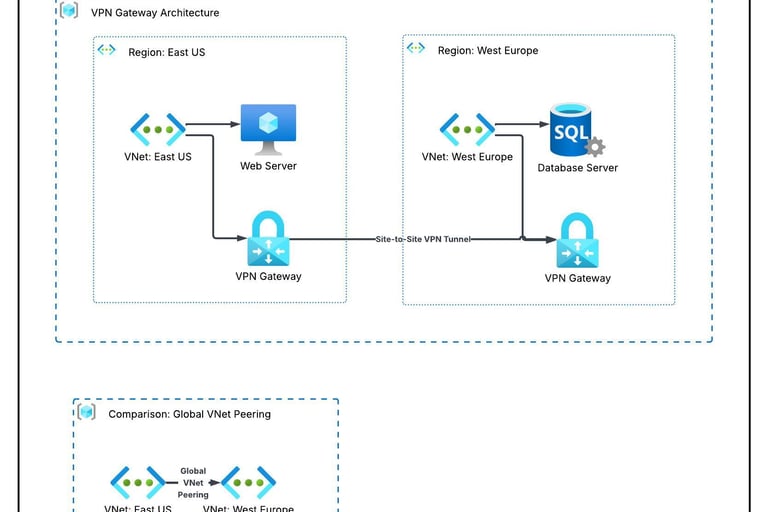
Earlier, organizations often connected VNETs in different Azure regions using VPN Gateway or Express Route Circuit. After Global VNET peering is introduced , you can connect East US VNET with West Europe VNET, while those expensive solutions do not need to be deployed anymore and traffic also stays completely in Microsoft's private backbone network.
Why is Global Peering needed?
Disaster recovery: Data backup between primary and secondary regions
Adherence to Compliance: Connecting localized Spokes to centralized hub while no data is exposed to public internet.
Differences between Global VNET Peering and Regional VNET Peering:
Cost Model: Local VNET Peering carries very minimal ingress and egress charges for traffic in same region, Global VNET peering follows Zonal Pricing Model.
Latency: Global VNET Peering will have higher latency in comparison to near-zero latency of regional peering as data physically travels across different continents or oceans.
No Cross Cloud Peering: You cannot globally peer a network in Azure public cloud to a network inside a restricted cloud environment like Azure Government.
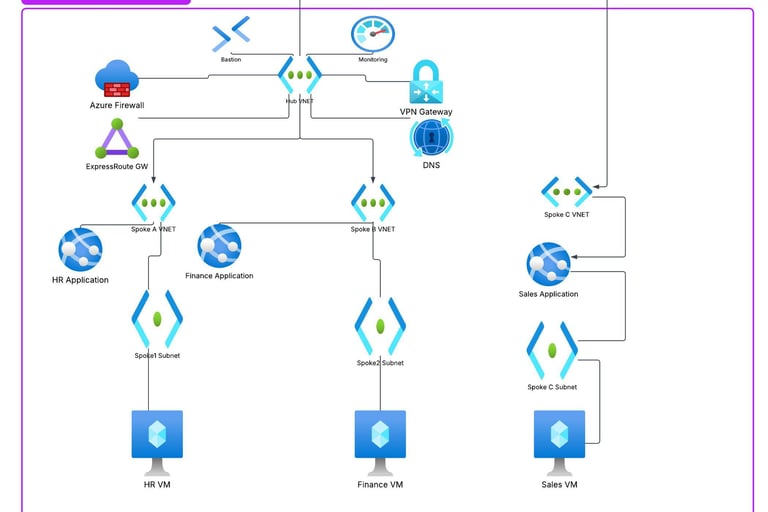
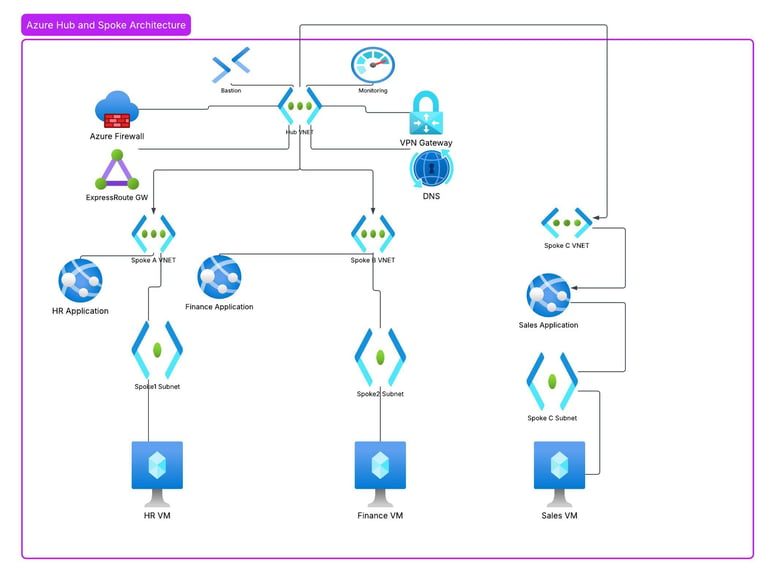
What is a Hub-And-Spoke architecture?
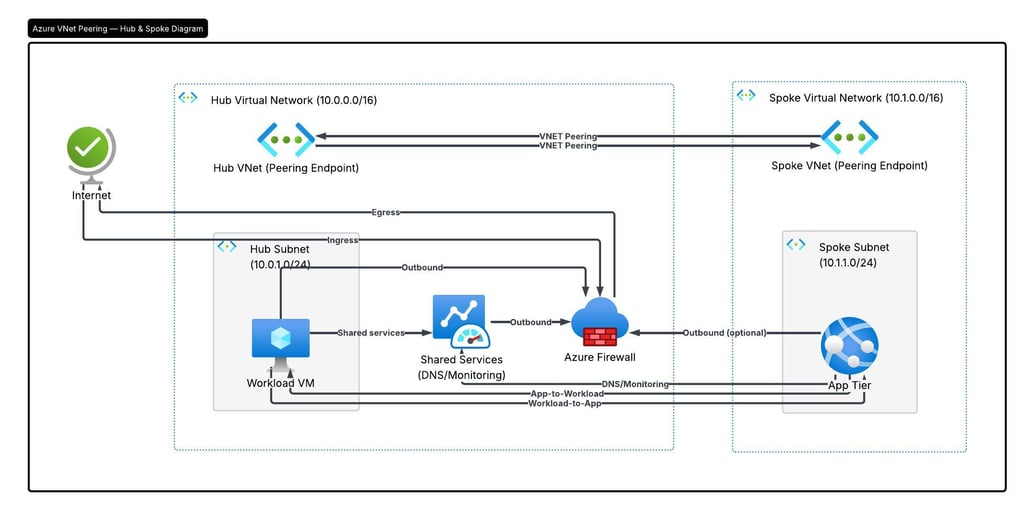
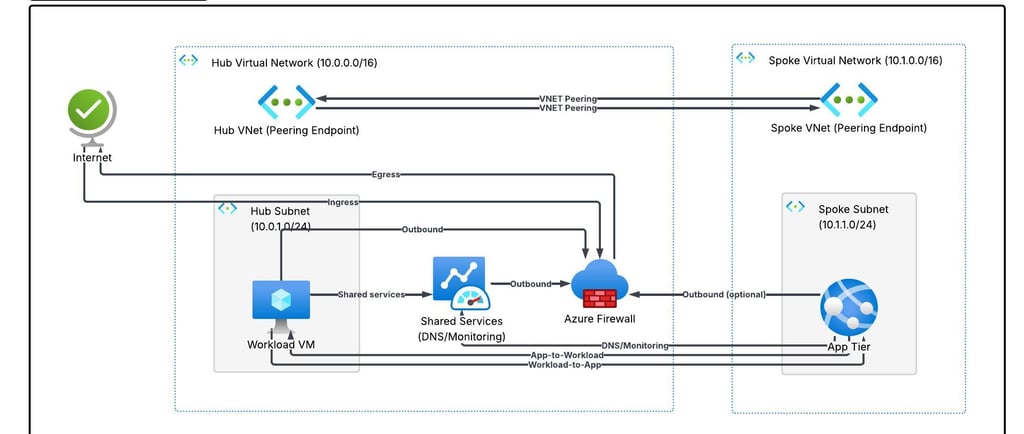
The Hub-And-Spoke architecture is a network topology where a central hub contains all the shared services and each spoke exclusively connects to the central hub. Instead of peering each spoke with each other they communicate via hub. Both hub and spoke are regular VNETs. Each spoke is not connected directly with each other until connection is established between them separately via hub or separate peering between them.
What a Hub VNET contains?
Hub contains shared services. Usually the hub has:
Azure Firewall or Network Virtual Appliance to inspect and filter traffic.
Centralized DNS Servers.
VPN Gateway or Express Route Gateway to handle connection to your on-premises infrastructure.
Bastion for secure access to VMs
Monitoring
For example, instead of every application have its own firewall, they all use the firewall in hub.
What is Spoke?
A spoke is simply a VNET being connected to the hub. In general, each spoke presents a separate workload. Each spoke is isolated from the others unless you specifically allow communication. This improves security. All internet traffic goes through the firewall in hub.
Benefits of Hub-And-Spoke architecture:
Cost efficiency: Instead of deploying costly Firewall or Gateway in each and every application, you deploy it only in central hub.
Better security: As all traffic goes through central hub i.e; single location, it is easier for security teams to monitor, log and filter traffic.
Blast Radius Isolation: As connection is non transitive, it is unlikely that a security breach in a dev spoke will cause problem in production spoke.
Why to use multiple spokes?
Better security isolation
Separate Management for different teams (e.g; HR, Sales, Finance)
Independent scaling
Easier life cycle management
Simpler compliance and access control
Important points to remember when setting up VNET peering:
The address spaces of VNET must not overlap.
Peering requires 2 separate links:
a) one line from VNET A to VNET B
b) another from VNET B to VNET A
Peering is not transitive by default. If VNET A is peered with VNET B, and VNET B is peered with VNET C, VNET A and VNET C cannot talk to each other. You need separate peering between them or communicate through central firewall.
Once VNETs are peered, the traffic between the networks travels securely across the private Microsoft backbone network.
Cross Tenant VNET Peering:
Cross Tenant VNET peering is also possible, where the VNETs you want to peer can be in different Azure tenants. You would need the Resource ID of the other tenant's VNET and the necessary permissions to configure the peering. Ask the administrator of the other tenant for the right peering details if you yourself are not the administrator.
Practical :
Create Hub VNet
Create HR Spoke VNet
Create Windows VMs
Configure VNet Peering
Verify connectivity (after disabling Windows Firewall)
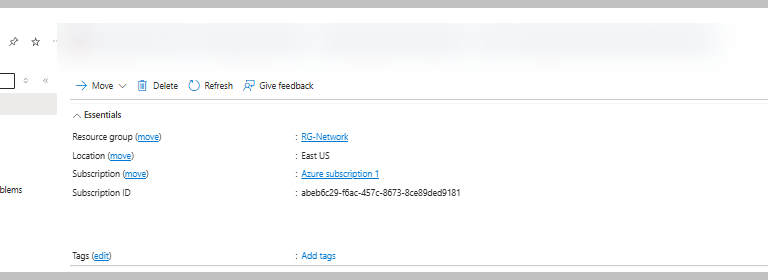
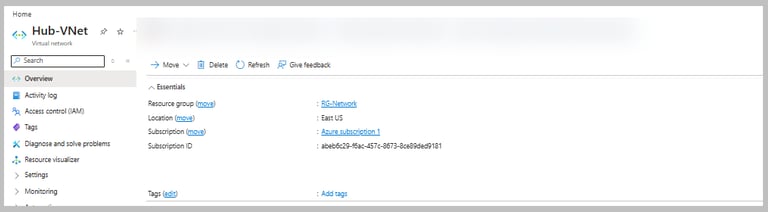
Create Hub VNET:
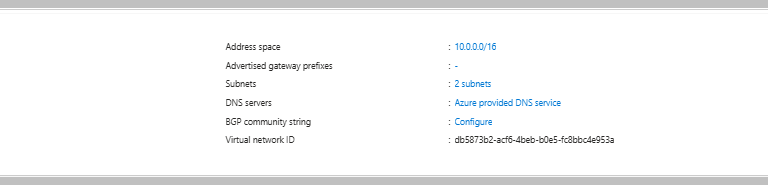
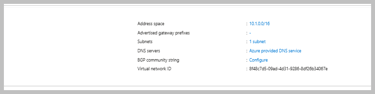
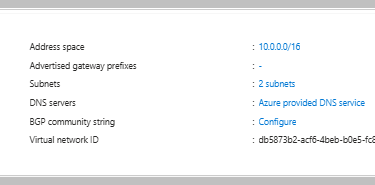
You will have 1 subnet (the default one which Azure creates). In next lab we will see How to create Firewall subnet and connect multiple spokes with each other. For Hub VNET, I have chosen address space 10.0.0.0/16.
Create HR Spoke VNet
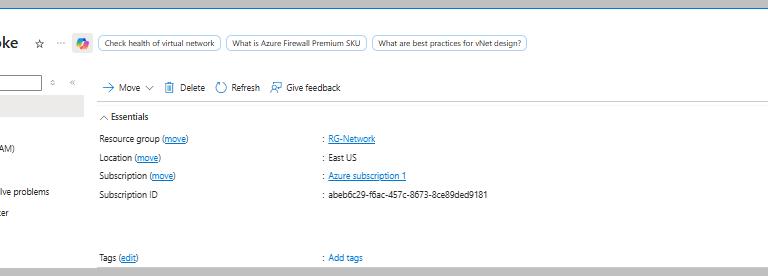
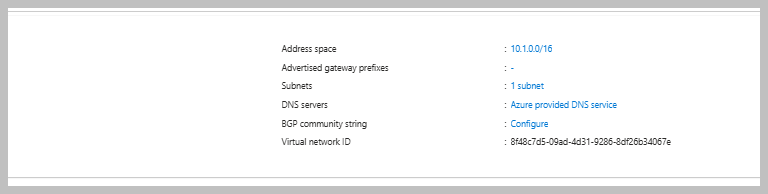
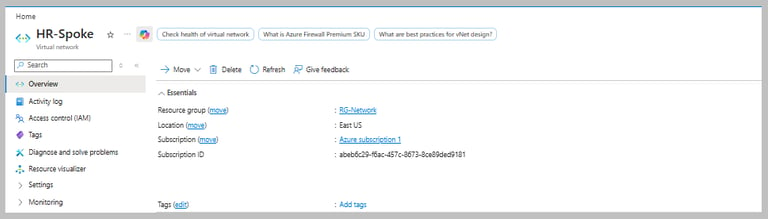
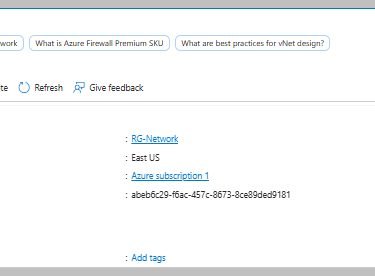
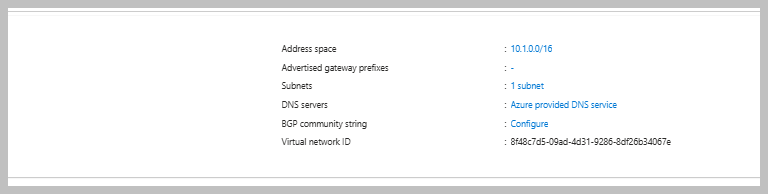
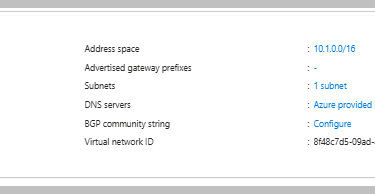
For HR Spoke VNET, I have chosen address space 10.1.0.0/16. Address space must not overlap with Hub VNET.
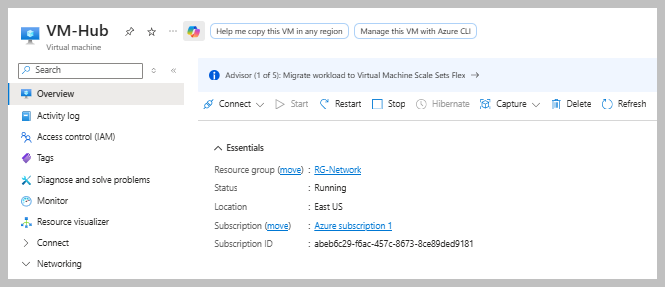
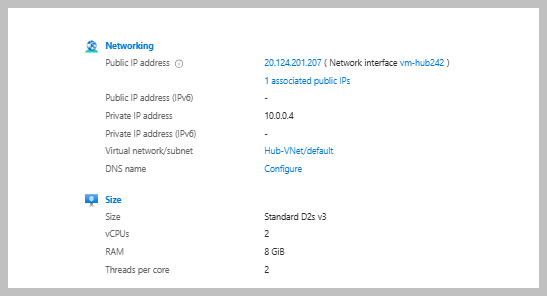
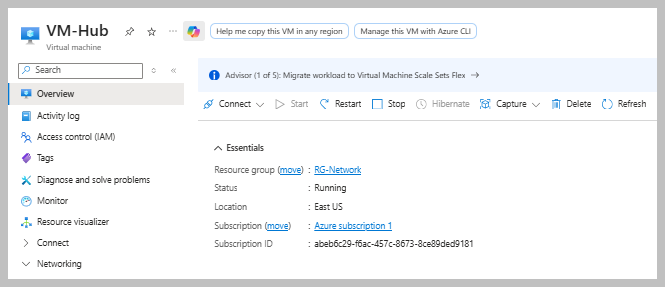
Deploy Windows VM in Hub VNET
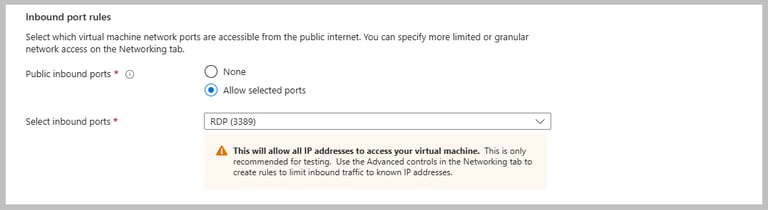
Keep RDP setting as stated below. For current lab purpose we shall connect to VM via RDP:
Deploy Windows VM in HR Spoke VNET
Allow RDP while creating VM
Add Peering:
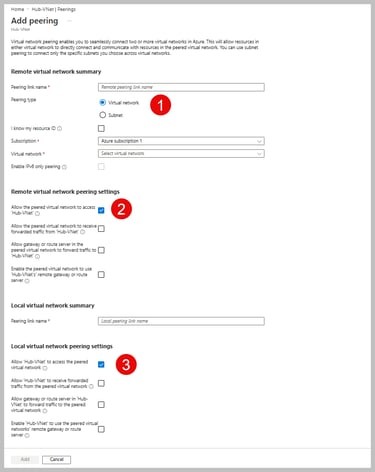
Go to Hub VNET and add peering.
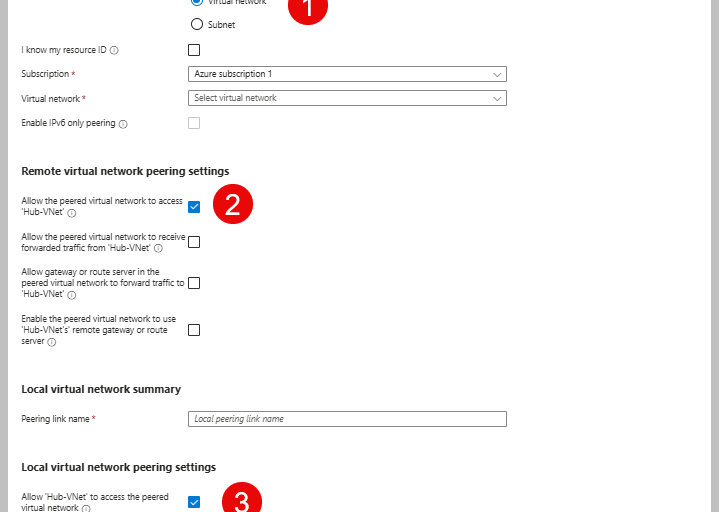
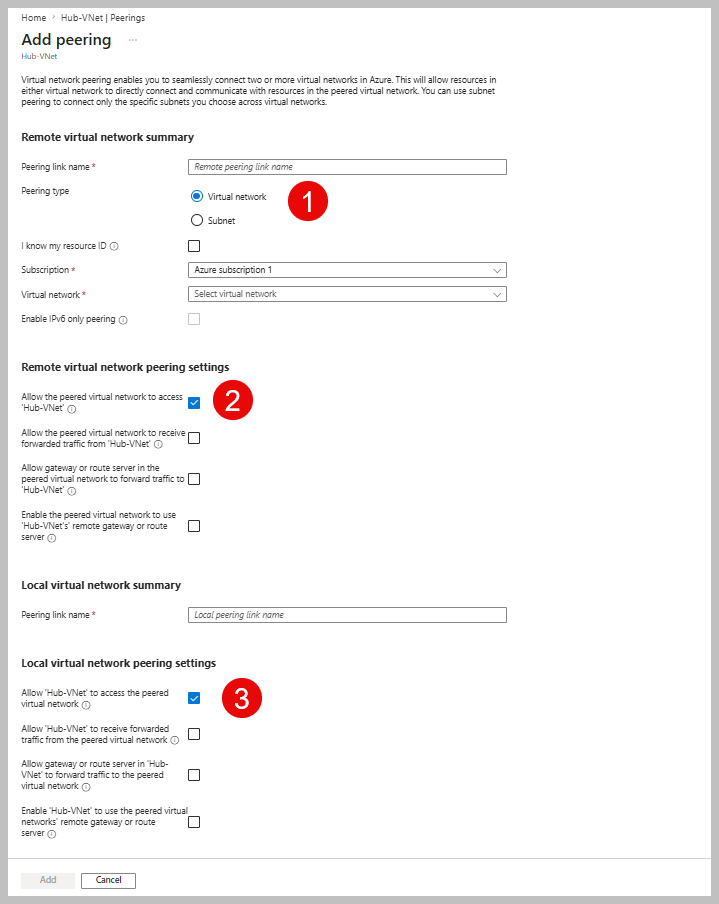
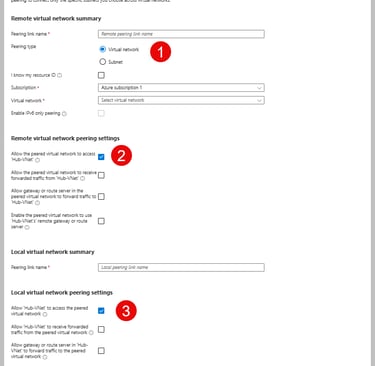
Note: Because you are currently configuring the peering settings in the Hub VNet, the local settings apply to the connection from the Hub to the HR-Spoke. The remote settings define the reverse connection from the HR-Spoke to the Hub.
In above screen shot, you see different options to check, let us understand what they mean:
Peering Type:
Besides VNET Peering, we have "Subnet Peering".
Subnet peering allows peering only between selected subnets of two VNETs instead of peering the entire VNETs.
It improves security by limiting communication to only the required subnets.
For example if App Subnet of a spoke VNET is peered only with sharedservices subnet of Hub but not with Database Subnet, then App Subnet cannot communicate with Database Subnet. Database Subnet remains isolated.
Peering Settings:
Let us understand different types of settings possible while peering is done.
Below I have explained the options appearing under "Remote Virtual Network Settings". Similar meaning applies for local settings from Spoke VNET perspective.
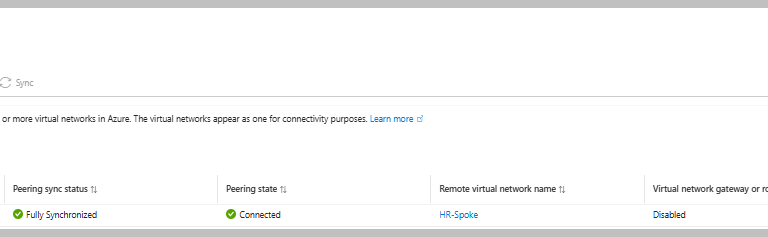
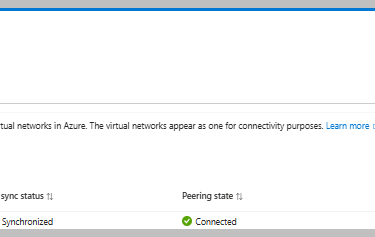
Once peering is done, it will show peering state "connected" :
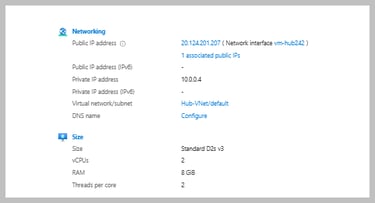
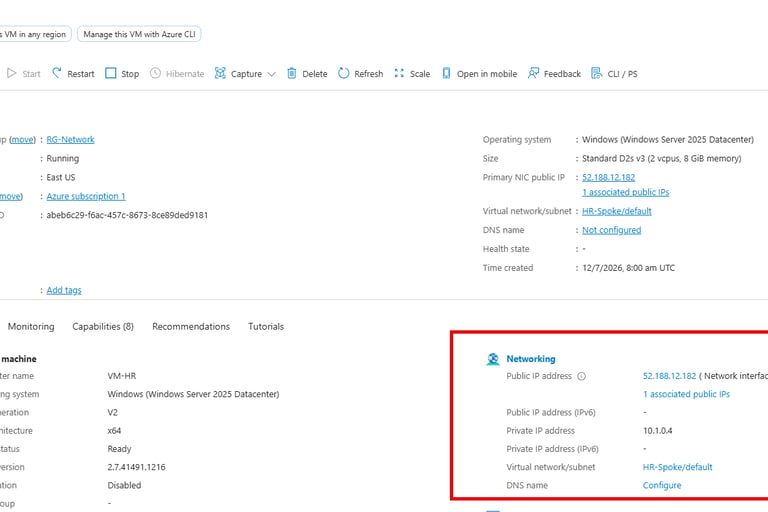
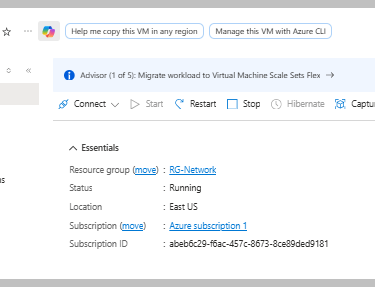
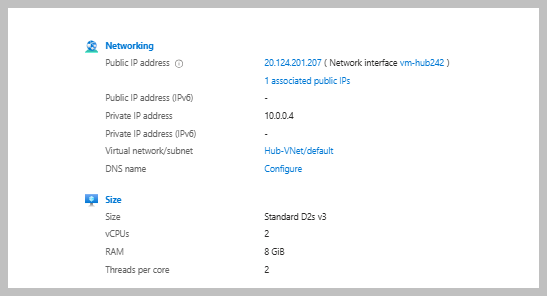
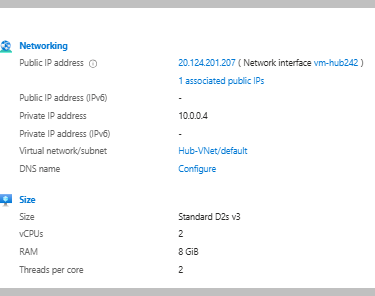
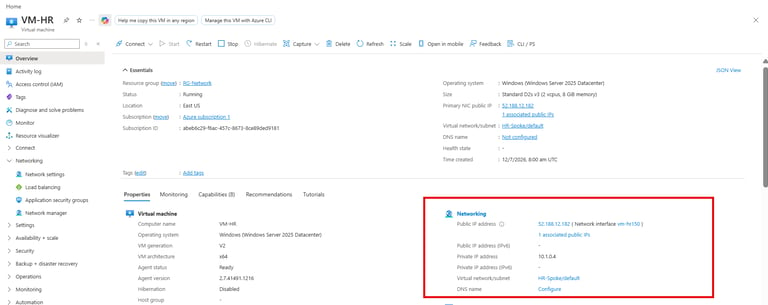
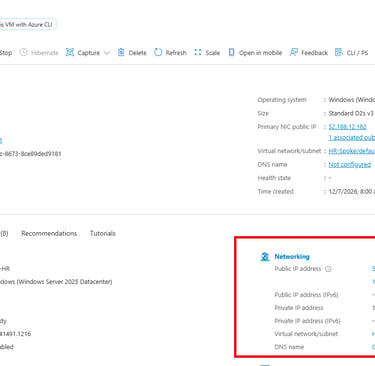
Copy private IP address of HR VM.
Connect to HR VM and disable firewall:
Run this command inside HR VM CMD:
Set-NetFirewallProfile -Profile Domain,Private,Public -Enabled False
Ensure your NSG rules do not prevent RDP connection. If you want to know more about NSG, check here.
Connect to Hub VM
Login to Hub VM and open CMD. Then ping HR VM:
ping 10.1.0.4
Expected output:
Pinging 10.1.0.4 with 32 bytes of data:
Reply from 10.1.0.4: bytes=32 time=2ms TTL=128
Reply from 10.1.0.4: bytes=32 time=1ms TTL=128
Reply from 10.1.0.4: bytes=32 time=1ms TTL=128
Reply from 10.1.0.4: bytes=32 time=1ms TTL=128
Ping statistics for 10.1.0.4:
Packets: Sent = 4, Received = 4, Lost = 0 (0% loss),
Approximate round trip times in milli-seconds:
Minimum = 1ms, Maximum = 2ms, Average = 1ms
Conclusion:
At the end of the blog, we have learned what VNet peering is and how it helps in communication, what Global VNet Peering is, and why it is needed. During VNet peering, we also know now what are different kind of settings and other aspeects we need to remember. Now we are more comfortable in catching up on our next blog, where I will show how multiple spokes can communicate using a central hub and a centrally located firewall.
Stay Tuned. Sayonara. See you in my next article.
Previous Lesson(Azure DNS Explained)
Next Lesson (Diagnose Network Traffic in a Hub-And-Spoke architecture)
#AZ-104 #Azure #CloudComputing #DevOps #DNS


Prerequisites
You have passed AZ-900 or you have basic knowledge of Azure
If you are unsure where to begin your journey to learn Azure Networking, START HERE
In this blog we will learn
What is VNET Peering?
Regional VS Global VNET Peering
Hub and Spoke Architecture
Cross Tenant VNET Peering
Subnet Peering
Different settings in VNET Peering
Hands-on lab
What is the default behaviour of the Azure VNET?
By default, Azure VNETs are completely isolated from each other and cannot communicate with each other through private IP addresses. To make them capable of communicating with each other, you need VNET peering.
Suppose you have:
VNET A → VNET A, Web Server
VNET B → SQL DB
Without peering web server cannot reach SQL privately.
What is VNET Peering?
If you consider VNET as a neighborhood and VMs, databases, apps as houses and offices inside the neighborhood; peering is building private roads between neighborhoods so traffic does not need to go on public highways (the internet).
With VNET Peering:
VM1 in VNET A can talk to VM2 in VNET B. With peering, web server in VNET A connects directly to SQL DB in VNET B over Azure's private backbone Network. Traffic does not get exposed to public internet. You do not require any VPN Gateway and latency remains very low.
All communication remains within Microsoft's backbone network.
Global VNET Peering:
Earlier, organizations often connected VNETs in different Azure regions using VPN Gateway or Express Route Circuit. After Global VNET peering is introduced , you can connect East US VNET with West Europe VNET, while those expensive solutions do not need to be deployed anymore and traffic also stays completely in Microsoft's private backbone network.
Why is Global Peering needed?
Disaster recovery: Data backup between primary and secondary regions
Adherence to Compliance: Connecting localized Spokes to centralized hub while no data is exposed to public internet.
Differences between Global VNET Peering and Regional VNET Peering:
Cost Model: Local VNET Peering carries very minimal ingress and egress charges for traffic in same region, Global VNET peering follows Zonal Pricing Model.
Latency: Global VNET Peering will have higher latency in comparison to near-zero latency of regional peering as data physically travels across different continents or oceans.
No Cross Cloud Peering: You cannot globally peer a network in Azure public cloud to a network inside a restricted cloud environment like Azure Government.
What is a Hub-And-Spoke architecture?
The Hub-And-Spoke architecture is a network topology where a central hub contains all the shared services and each spoke exclusively connects to the central hub. Instead of peering each spoke with each other they communicate via hub. Both hub and spoke are regular VNETs. Each spoke is not connected directly with each other until connection is established between them separately via hub or separate peering between them.
What a Hub VNET contains?
Hub contains shared services. Usually the hub has:
Azure Firewall or Network Virtual Appliance to inspect and filter traffic.
Centralized DNS Servers.
VPN Gateway or Express Route Gateway to handle connection to your on-premises infrastructure.
Bastion for secure access to VMs
Monitoring
For example, instead of every application have its own firewall, they all use the firewall in hub.
What is Spoke?
A spoke is simply a VNET being connected to the hub. In general, each spoke presents a separate workload. Each spoke is isolated from the others unless you specifically allow communication. This improves security. All internet traffic goes through the firewall in hub.
Benefits of Hub-And-Spoke architecture:
Cost efficiency: Instead of deploying costly Firewall or Gateway in each and every application, you deploy it only in central hub.
Better security: As all traffic goes through central hub i.e; single location, it is easier for security teams to monitor, log and filter traffic.
Blast Radius Isolation: As connection is non transitive, it is unlikely that a security breach in a dev spoke will cause problem in production spoke.
Why to use multiple spokes?
Better security isolation
Separate Management for different teams (e.g; HR, Sales, Finance)
Independent scaling
Easier life cycle management
Simpler compliance and access control
Important points to remember when setting up VNET peering:
The address spaces of VNET must not overlap.
Peering requires 2 separate links:
a) one line from VNET A to VNET B
b) another from VNET B to VNET A
Peering is not transitive by default. If VNET A is peered with VNET B, and VNET B is peered with VNET C, VNET A and VNET C cannot talk to each other. You need separate peering between them or communicate through central firewall.
Once VNETs are peered, the traffic between the networks travels securely across the private Microsoft backbone network.
Cross Tenant VNET Peering:
Cross Tenant VNET peering is also possible, where the VNETs you want to peer can be in different Azure tenants. You would need the Resource ID of the other tenant's VNET and the necessary permissions to configure the peering. Ask the administrator of the other tenant for the right peering details if you yourself are not the administrator.
Practical :
Create Hub VNet
Create HR Spoke VNet
Create Windows VMs
Configure VNet Peering
Verify connectivity (after disabling Windows Firewall)
Create Hub VNET:
You will have 1 subnet (the default one which Azure creates). In next lab we will see How to create Firewall subnet and connect multiple spokes with each other. For Hub VNET, I have chosen address space 10.0.0.0/16.
Create HR Spoke VNet
For HR Spoke VNET, I have chosen address space 10.1.0.0/16. Address space must not overlap with Hub VNET.
Deploy Windows VM in Hub VNET
Keep RDP setting as stated below. For current lab purpose we shall connect to VM via RDP:
Deploy Windows VM in HR Spoke VNET
Allow RDP while creating VM
Add Peering:
Go to Hub VNET and add peering.
Note: Because you are currently configuring the peering settings in the Hub VNet, the local settings apply to the connection from the Hub to the HR-Spoke. The remote settings define the reverse connection from the HR-Spoke to the Hub.
Above you see different options to check, let us understand what they mean:
Peering Type:
Besides VNET Peering, we have "Subnet Peering".
Subnet peering allows peering only between selected subnets of two VNETs instead of peering the entire VNETs.
It improves security by limiting communication to only the required subnets.
For example if App Subnet of a spoke VNET is peered only with sharedservices subnet of Hub but not with Database Subnet, then App Subnet cannot communicate with Database Subnet. Database Subnet remains isolated.
Peering Settings:
Let us understand different types of settings possible while peering is done.
Below I have explained the options appearing under "Remote Virtual Network Settings". Similar meaning applies for local settings from Spoke VNET perspective.
Once peering is done, it will show peering state "connected" :
Copy private IP address of HR VM.
Connect to HR VM and disable firewall:
Run this command inside HR VM CMD:
Set-NetFirewallProfile -Profile Domain,Private,Public -Enabled False
Ensure your NSG rules do not prevent RDP connection. If you want to know more about NSG, check here.
Connect to Hub VM
Login to Hub VM and open CMD. Then ping HR VM:
ping 10.1.0.4
Expected output:
Pinging 10.1.0.4 with 32 bytes of data:
Reply from 10.1.0.4: bytes=32 time=2ms TTL=128
Reply from 10.1.0.4: bytes=32 time=1ms TTL=128
Reply from 10.1.0.4: bytes=32 time=1ms TTL=128
Reply from 10.1.0.4: bytes=32 time=1ms TTL=128
Ping statistics for 10.1.0.4:
Packets: Sent = 4, Received = 4, Lost = 0 (0% loss),
Approximate round trip times in milli-seconds:
Minimum = 1ms, Maximum = 2ms, Average = 1ms
Conclusion:
At the end of the blog, we have learned what VNet peering is and how it helps in communication, what Global VNet Peering is, and why it is needed. During VNet peering, we also know now what are different kind of settings and other aspeects we need to remember. Now we are more comfortable in catching up on our next blog, where I will show how multiple spokes can communicate using a central hub and a centrally located firewall.
Stay Tuned. Sayonara. See you in my next article.
Previous Lesson(Azure DNS Explained)
Next Lesson (Diagnose Network Traffic in a Hub-And-Spoke architecture)
#AZ-104 #Azure #CloudComputing #DevOps #DNS
Want to connect?