Join the LinkedIn Public Group – NextOps: Dev, Cloud & Intelligence to connect with professionals, share knowledge, ask questions, and grow together.
Azure Networking Deep Dive: UDRs, Azure Firewall, Bastion, and Network Watcher
AZ-104AZURENETWORKING
Madhubanti Jash
7/25/202621 min read
Prerequisites
You have passed AZ-900 or you have basic knowledge of Azure
If you are unsure where to begin your journey to learn Azure Networking, START HERE
Prerequisites
You have passed AZ-900 or you have basic knowledge of Azure. If you are unsure where to begin your journey to learn Azure Networking, START HERE


In todays blog I shall cover:
Hub-And-Spoke architecture
System defined Route (SDR)
User Defined Route(UDR)
Bastion
Firewall Logging
Network Watcher
Practical lab covering:
Build the Hub-and-Spoke Network (We have 2 Spoke networks: HR and Finance)
Deploy Azure Firewall in Hub
Deploy Azure Bastion in Spoke
Deploy Windows Virtual Machines in Hub and each of the spokes
Configure Route Tables (UDRs)
Configure Azure Firewall Rules
Test Internet Access in each spoke
Ping Finance Spoke from HR Spoke via Hub
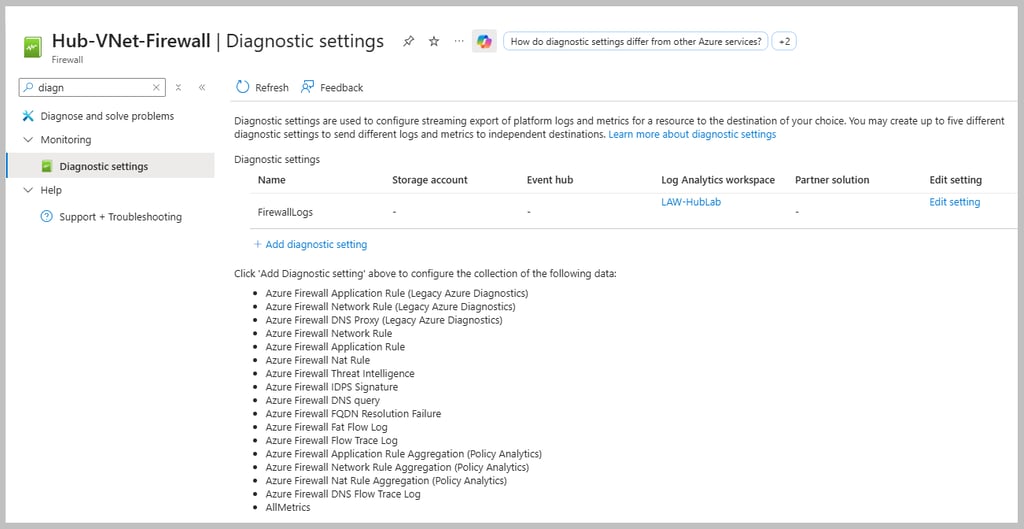
Enable Azure Firewall Diagnostics
Query Firewall Logs and check Network Watcher
Validate Routing
Validate NSGs
Connection Troubleshoot
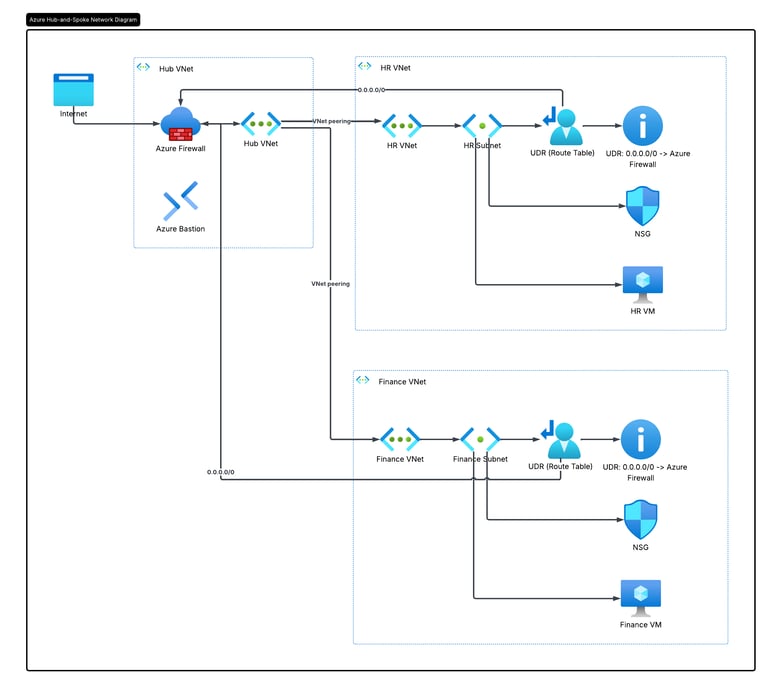
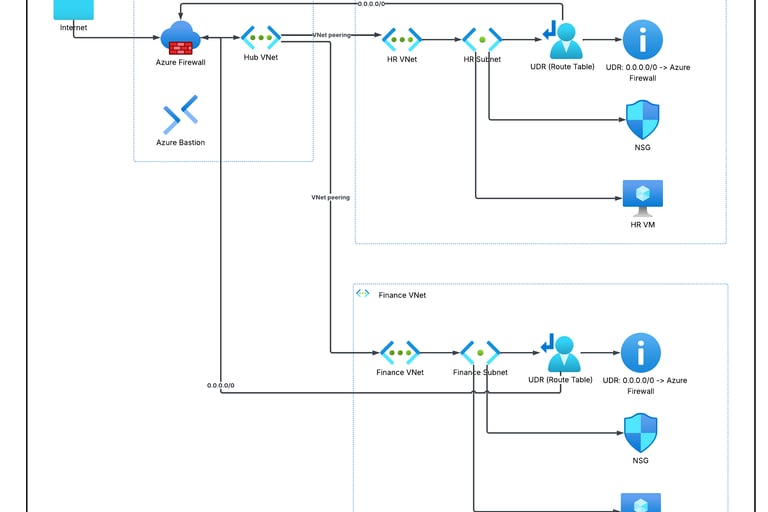
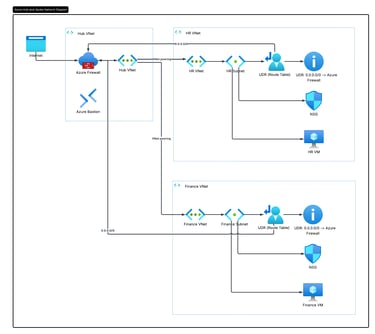
Hub and Spoke Architecture and roles of different Azure Components:
Let us understand, how all of the above Azure components together play role in monitoring, securing and diagnosing traffic flow in Hub-And-Spoke architecture.
If you do not know about Hub-And-Spoke architecture, check out here the detailed guide.
What is System Defined Route (SDR)?
By default Azure creates communication roadmap between different resources that are connected to Azure Virtual Network through a NIC.
For example if a VM wants to communicate with another VM in the same virtual network, Azure automatically knows how to do that or if within from a VM, if you want to connect to the internet, Azure automatically creates route for that as well. When you have VMs in different VNET, once VNET peering is done, Azure creates default route for communication from VM to internet.
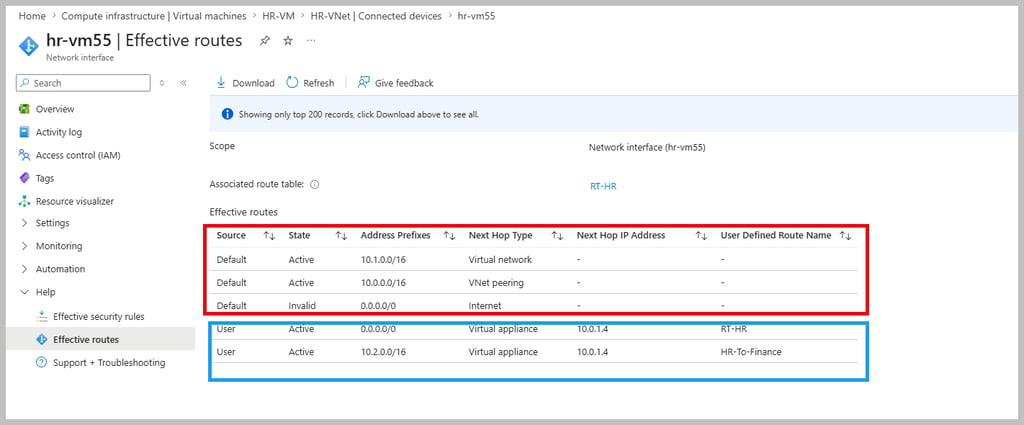
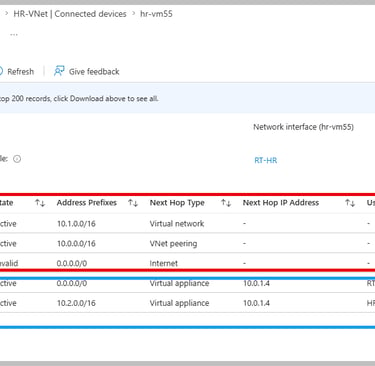
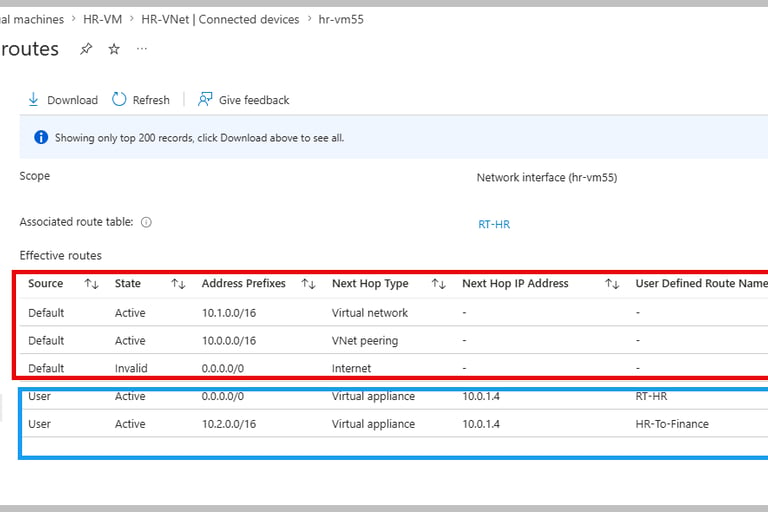
If you go to a VM→Connected devices→NIC→Effective Routes, you will see both SDR (default) and UDR (user defined routes).
Why internet rule is stated as invalid, we will understand in the troubleshooting section.
What is User Defined Route (UDR)?
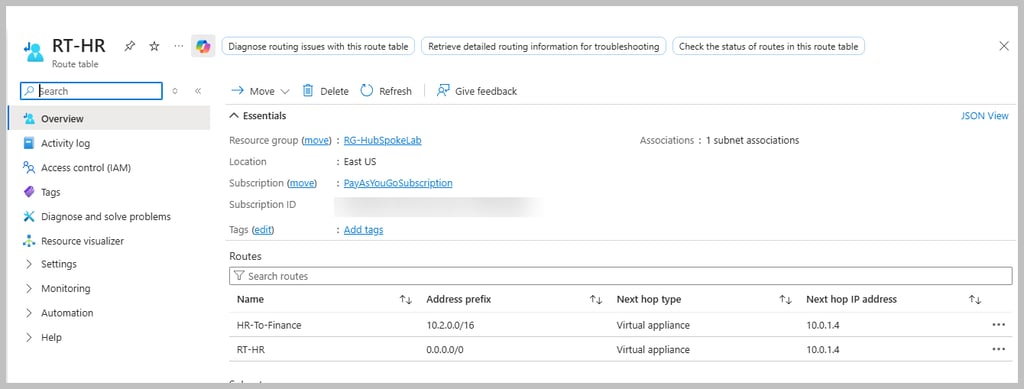
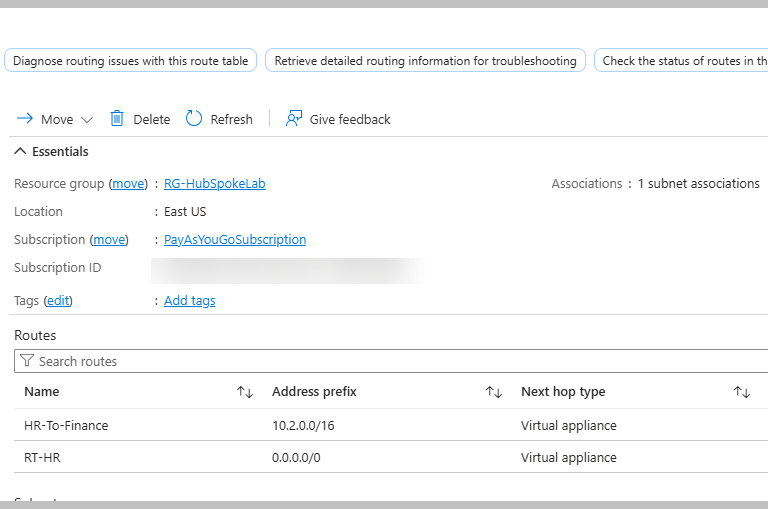
Azure user/administrator creates user defined route. This custom route is needed when you want traffic to follow specific path instead of Azure's default route. For example, if you want from your VM when internet will to be accessed, the traffic needs to go via firewall instead of accessing internet straight, then you define UDR. The route rules are created in route table.
This looks like below. In later section, we will understand the details of the rules.
What is Bastion?
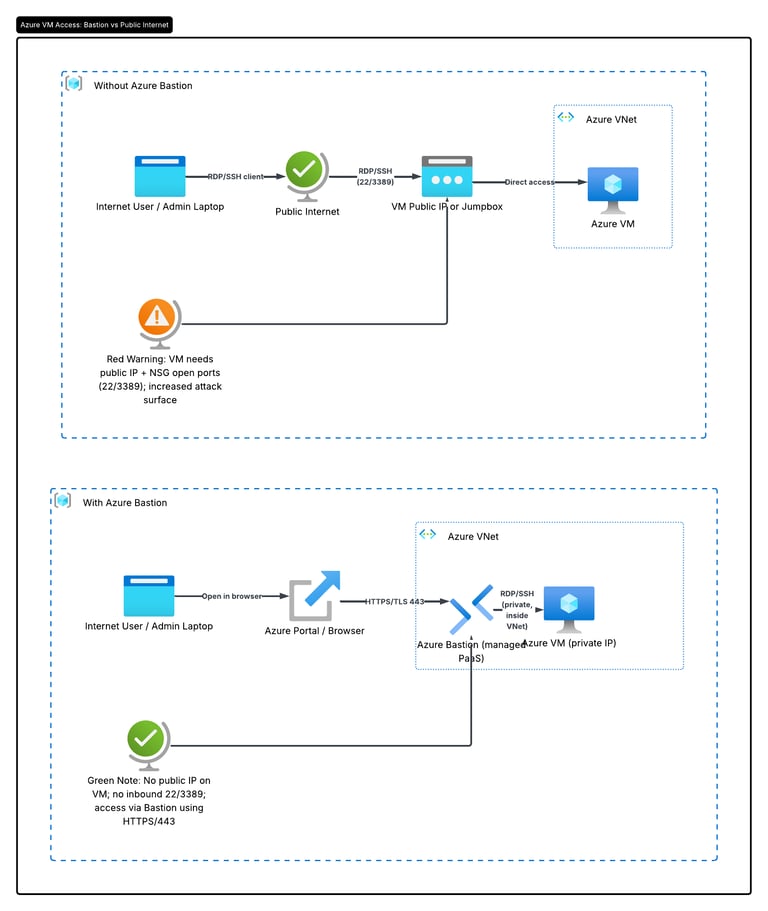
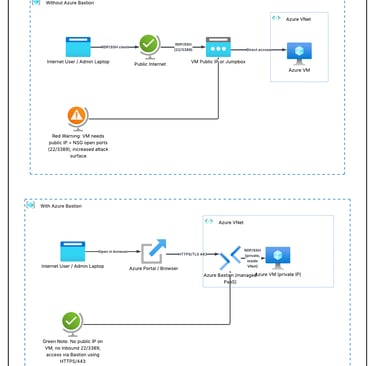
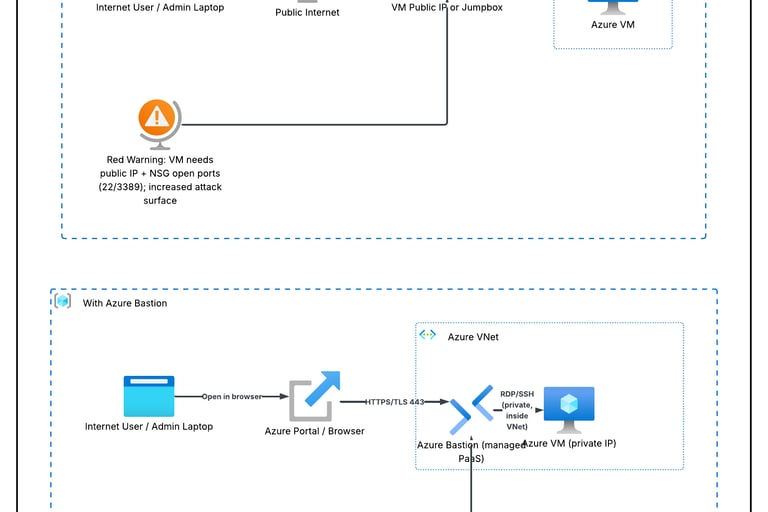
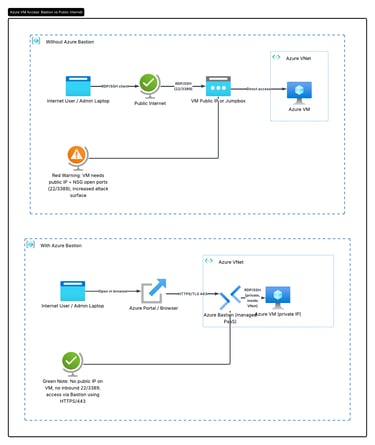
Azure Bastion is a fully managed Azure PaaS Service that lets you securely connect to your virtual machine via RDP (Windows) or via SSH (Linux) without exposing the VM to the internet.
What is Firewall Logging?
Firewall logging is the process of recording the network traffic that passes through or is blocked by firewall rule(s).
Why is Firewall logging important?
Security: Detect unauthorized access attempts.
Troubleshooting: Why the traffic is blocked.
Auditing: keep recording for compliance.
Monitoring: Analyze network usage and suspicious activity.
How the log looks like?
You need to connect to the designated Log Analytics Workspace and run the required Kusto Query Language. We will understand the details in the lab section.
What is Azure Network Watcher?
Azure Network Watcher is a regional network monitoring and diagnostic service that helps monitoring, diagnosing and troubleshooting Azure Network resources.
It has following features:
Benefits of using both: Firewall Logging and Network Watcher
Imagine Firewall logging as a CCTV camera at a gate who records which visitors arrived, who were allowed, who were denied. Network watcher is like mechanic's diagnostic tool which checks if the road is correct, there is any roadblock or if the destination is reachable.
Practical lab:
Build the Hub-and-Spoke Network (We would create 2 Spoke networks: HR and Finance)
Deploy Azure Firewall in Hub
Deploy Azure Bastion in Spoke
Deploy Windows Virtual Machines in Hub and each of the spokes
Configure Route Tables (UDRs)
Configure Azure Firewall Rules
Test Internet Access in each spoke
Ping Finance Spoke from HR Spoke via Hub
Enable Azure Firewall Diagnostics
Query Firewall Logs and check Network Watcher
Validate Routing
Validate NSGs
Connection Troubleshoot
We will do whole lab under resource group: RG-HubSpokeLab
Create Hub VNET
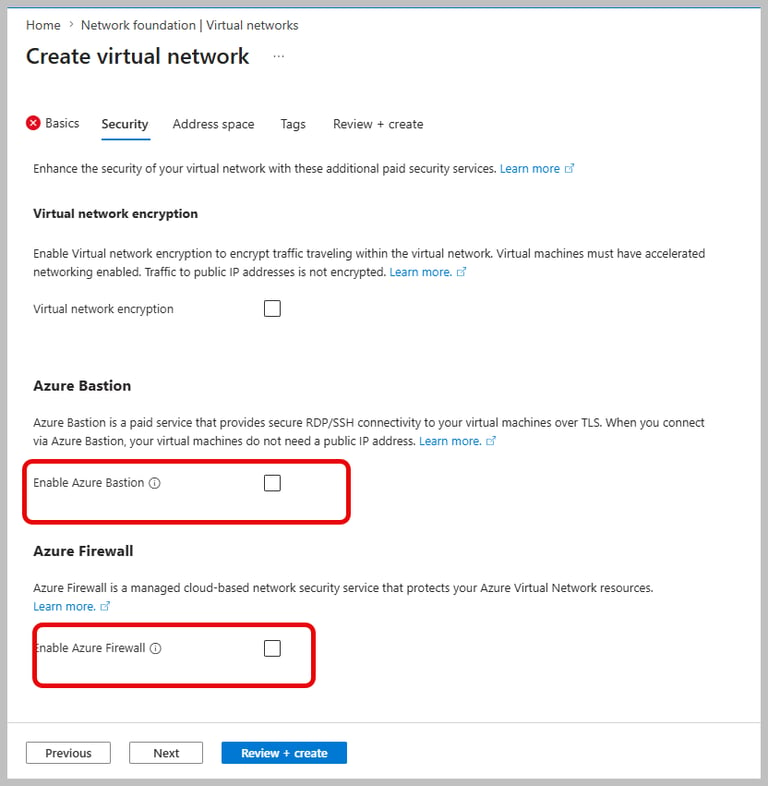
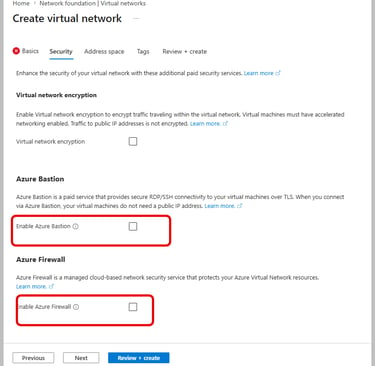
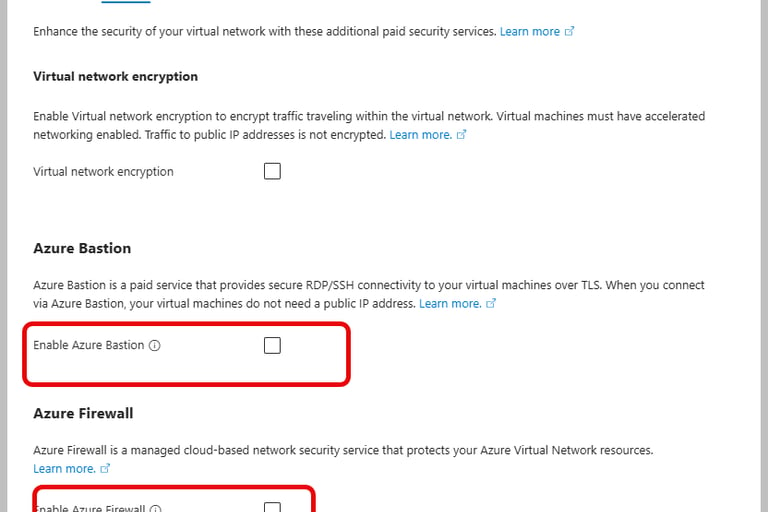
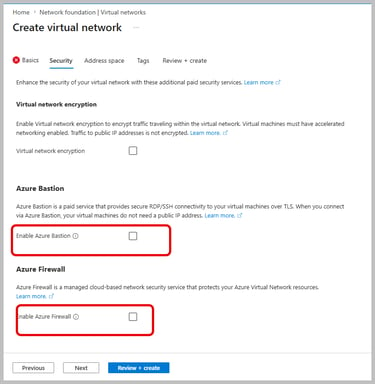
Enable Bastion and firewall (as we will have all shared services centralized in Hub)
Once you enable them, it will ask for new public ip. For Bastion, give name of public ip as hub-vnet-bastion and for firewall give name of the public ip as hub-vnet-firewall.
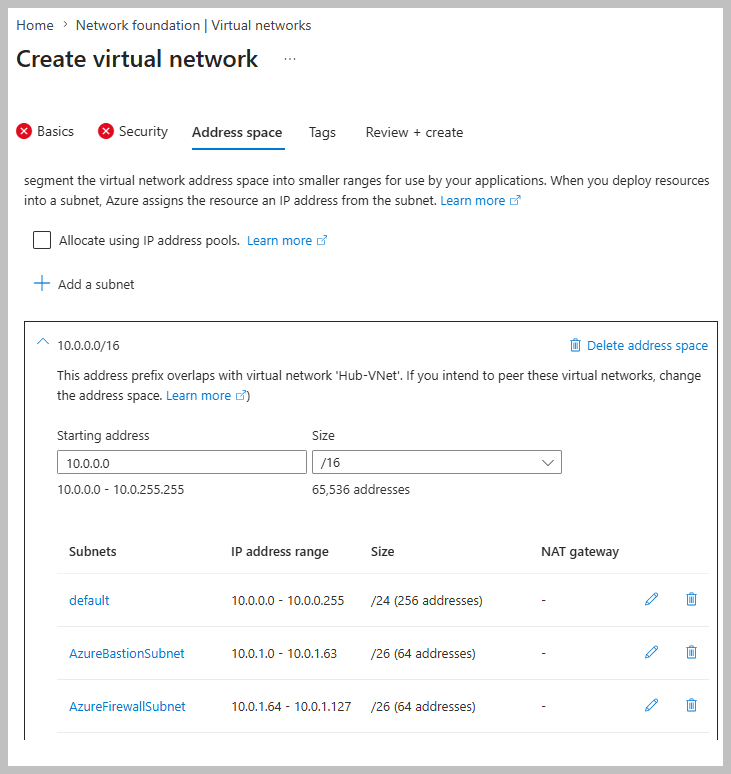
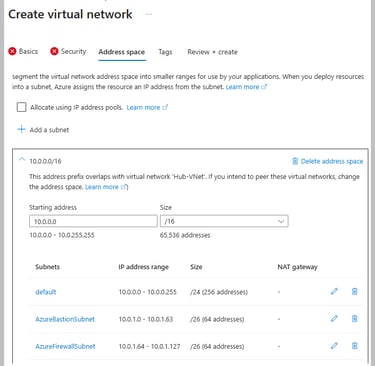
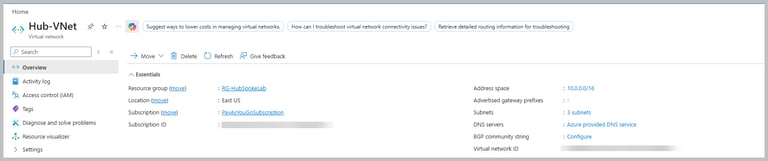
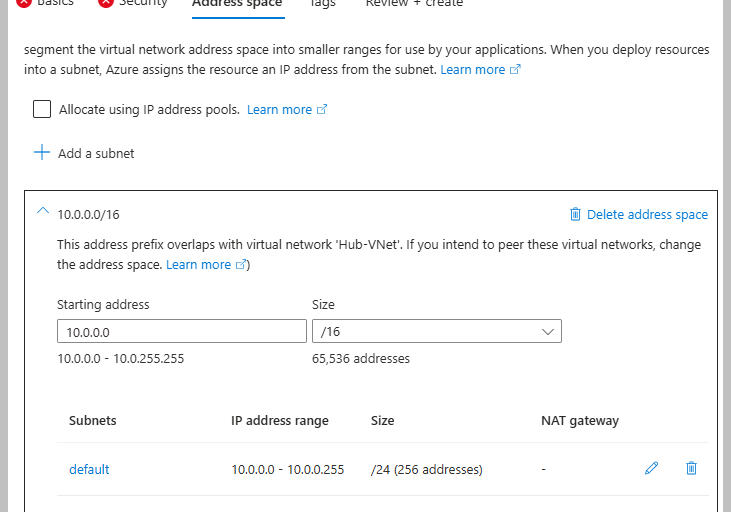
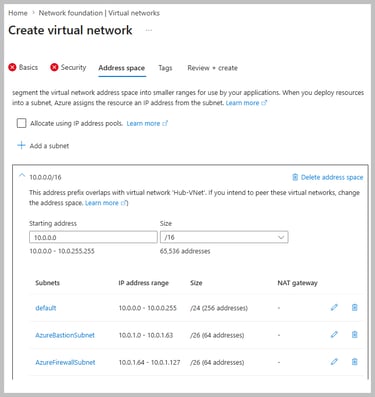
In Address Space Section, I am choosing VNET address space 10.0.0.0/16 and ensure you create/have 3 subnets:
Once you click create, it would take 15-20 mins to deploy as it will also create Bastion and Firewall.
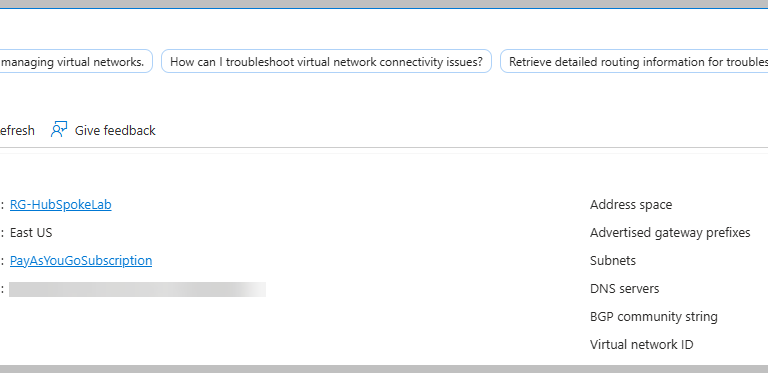
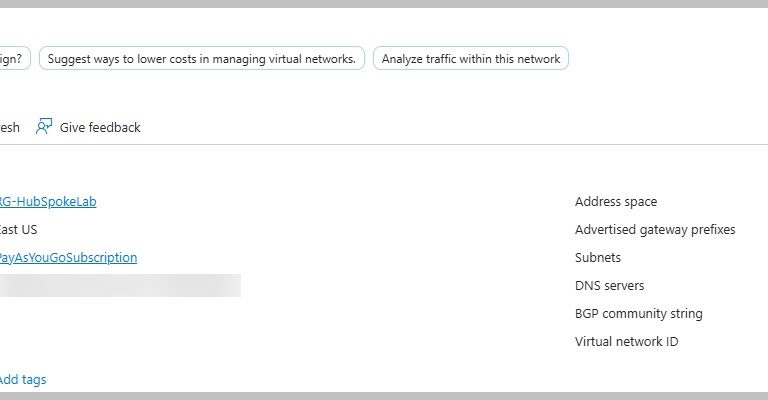
After creation, the Hub VNET will look like:
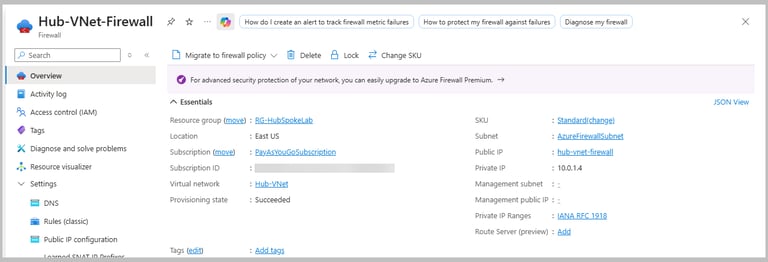
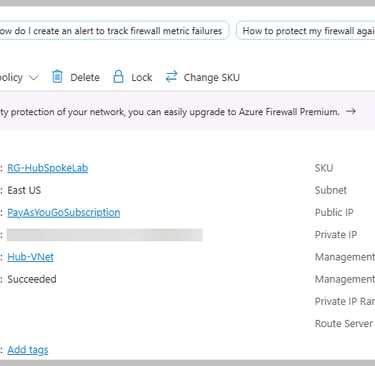
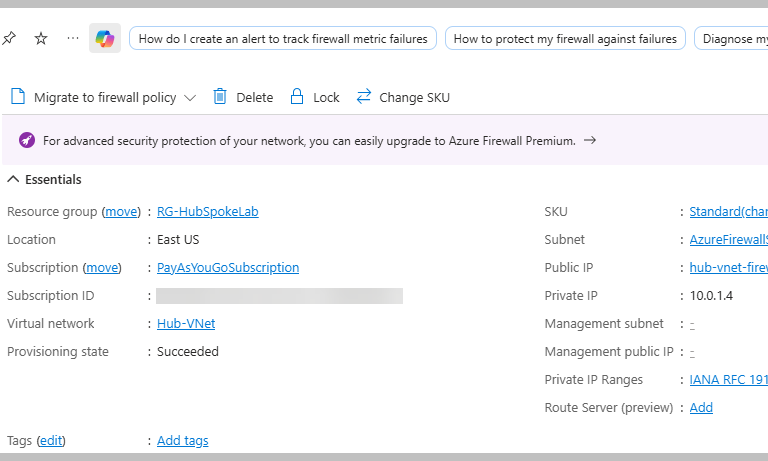
This is Firewall overview:
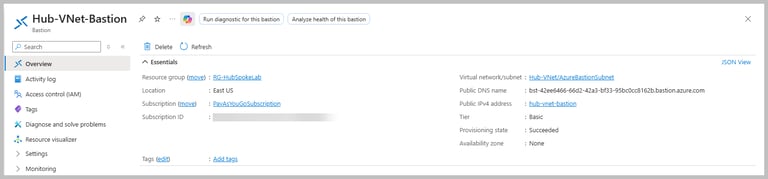
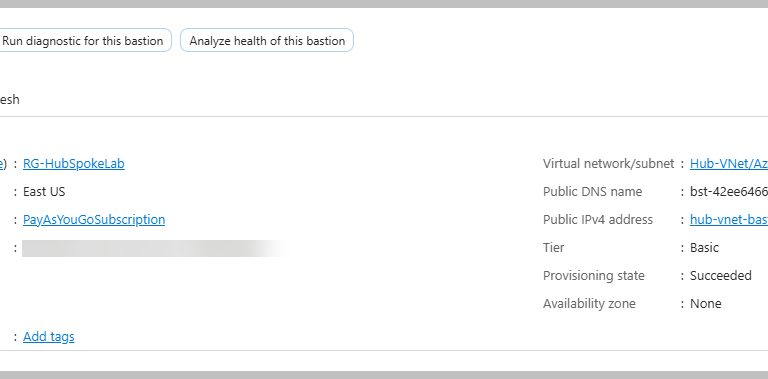
This is Bastion overview:
Create HR Spoke VNET:
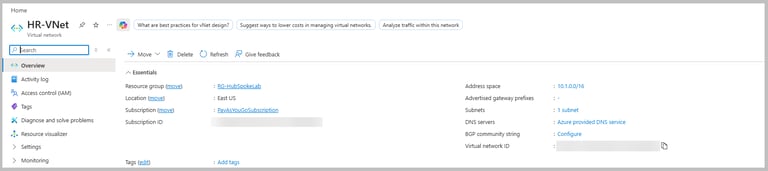
For VNET, I have chosen the address space 10.1.0.0/16 and for subnet (give name:HR-Subnet) the address space is 10.1.0.0/24
Create Finance Spoke VNET:
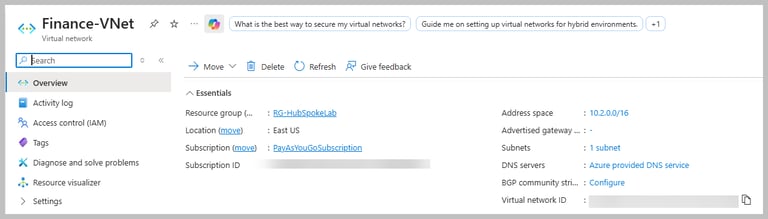
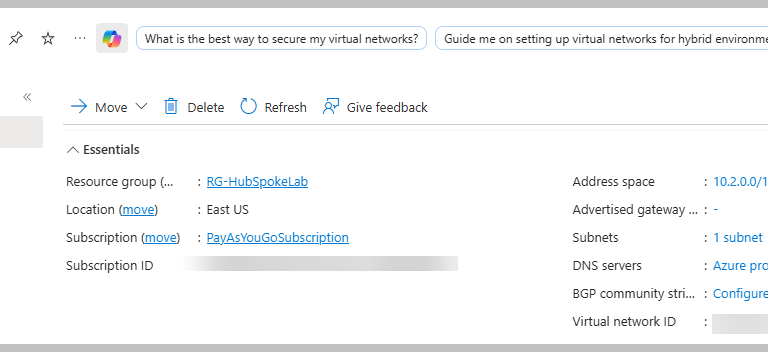
Choose address space 10.2.0.0/16. For subnet Finance-Subnet, address space is 10.2.0.0/24
Create windows VM in each of the spoke VNETs:
I have chosen Windows (Windows Server 2025 Datacenter) as image.
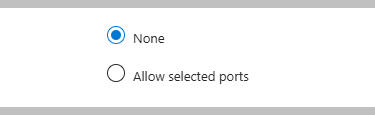
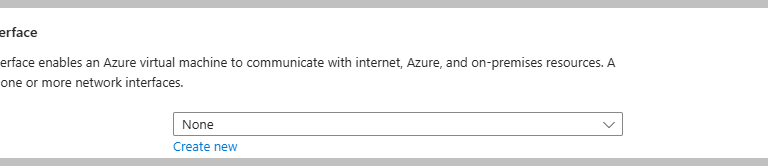
As we shall connect via Bastion, choose public inbound ports and public ip as none:
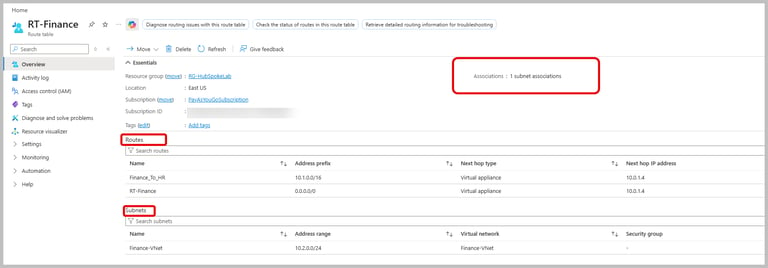
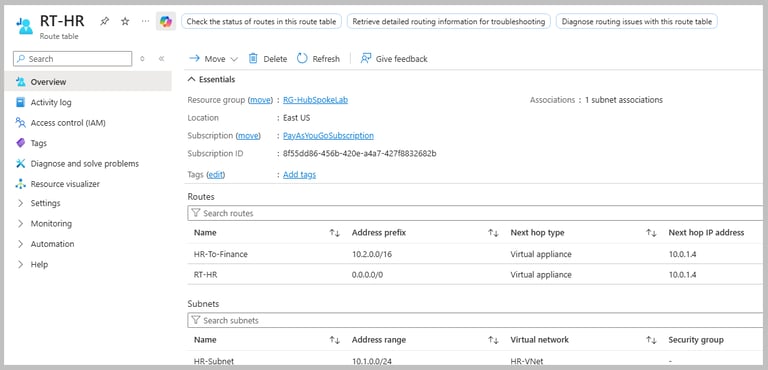
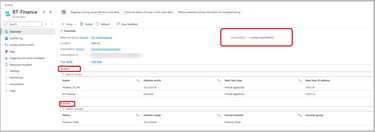
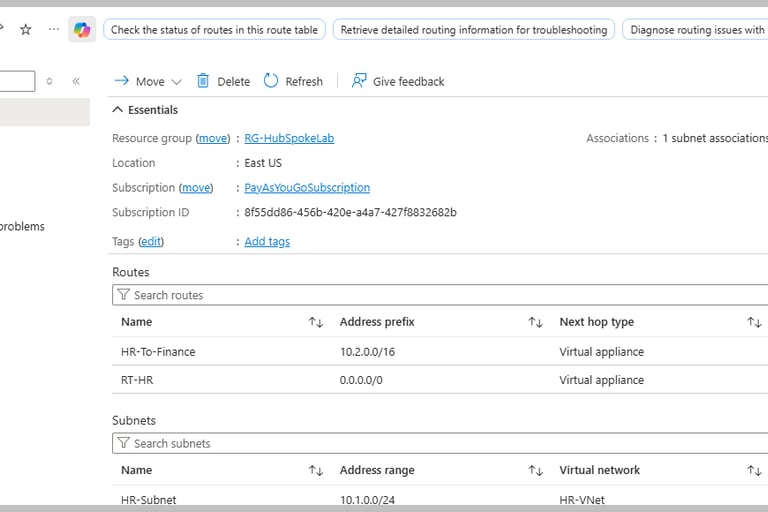
Configure Route Table and add user defined routes (UDR) /associate subnet for Finance Spoke VNET:
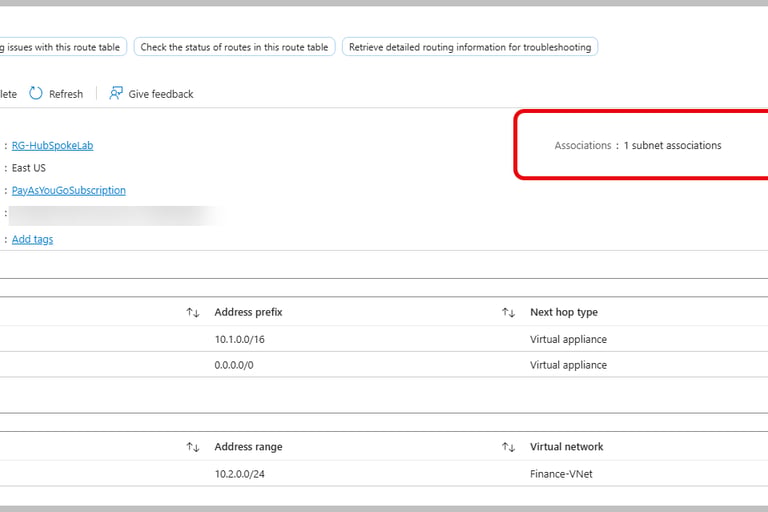
Finance_To_HR route ensures that any traffic from finance to HR goes via firewall.
RT_Finance route ensures any internet traffic from Finance goes via firewall as well.
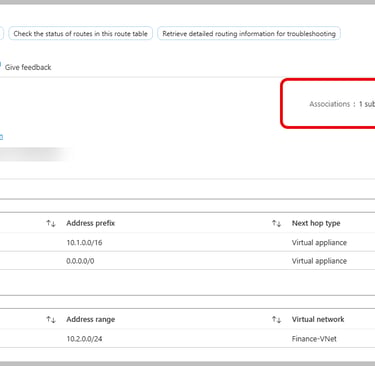
Associate Finance Subnet.
(It is a typo from my side that I put Finance Spoke subnet name as Finance-VNET, name it as Finance-Subnet when you do the practical)
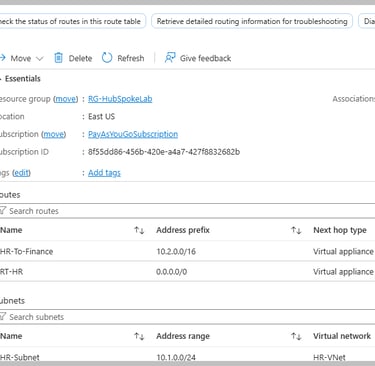
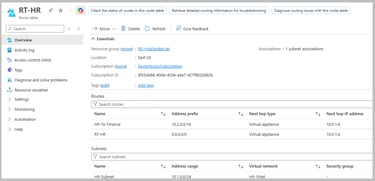
Do similar with HR:
Configure Azure Firewall Rules:
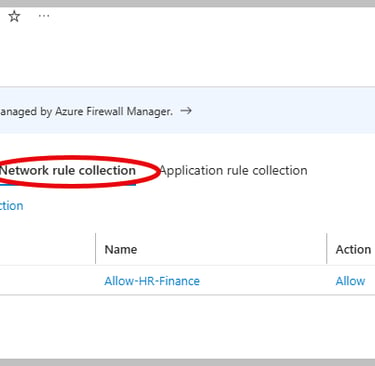
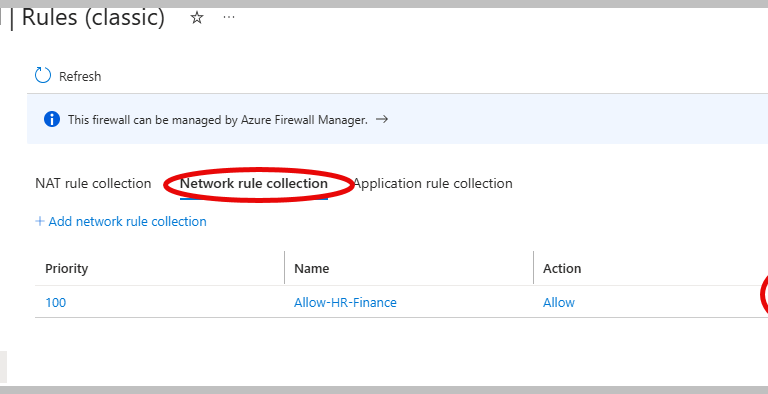
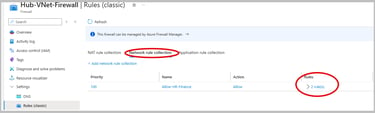
We shall create rules under Network Rule and Application Rule Collection:
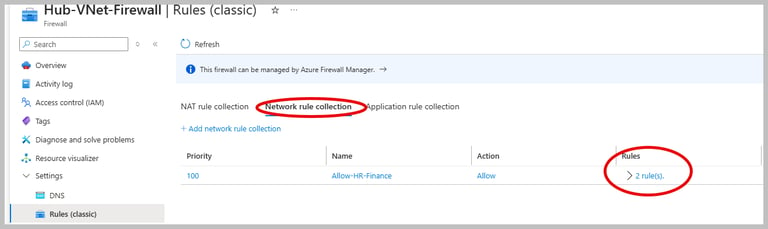
First let us check the network rules.
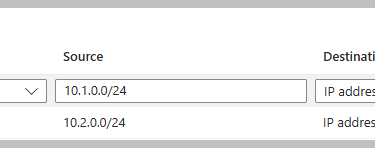
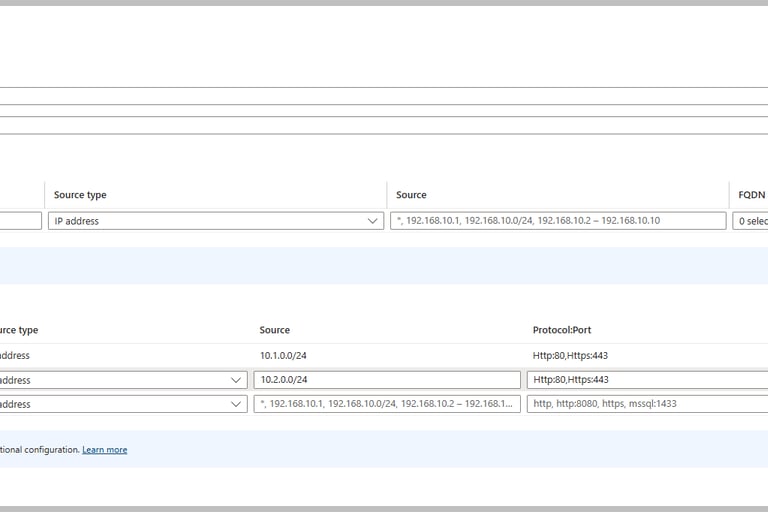
This is how individual rules look like:
What does these network rules mean?
The HR-To-Finance-RDP rule implies any VM in the subnet of HR Spoke (10.1.0.0/24) can connect to any VM in the subnet of Finance Spoke (10.2.0.0/24) over destination port 3389. Destination port 3389 means allow traffic only if destination service is listening on port 3389. The Finance VM is running the remote desktop service (RDP). Windows RDP listens on TCP 3389.
Similar way Finance-to-HR-RDP rule is inferred.
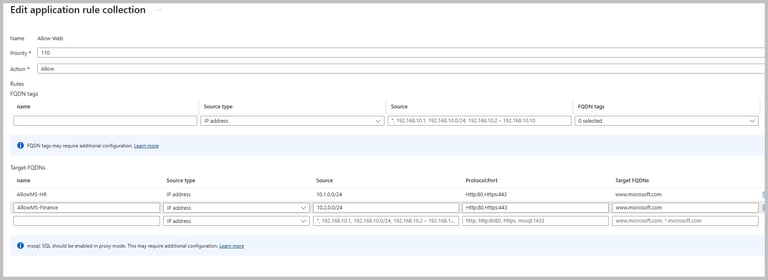
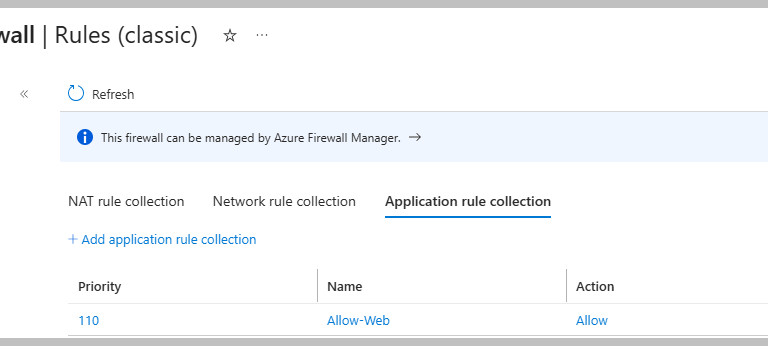
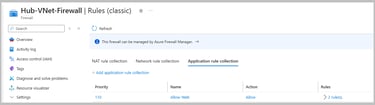
Let us now explore application rules.
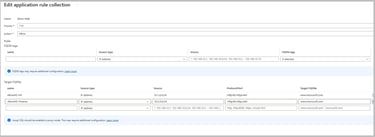
Let us now understand the individual application rules:
AllowMS-HR says if a VM in HR subnet tries to browse the internet and wants to reach www.microsoft.com via http/https,then the traffic should be allowed. But it won't allow traffic to google.com or login.microsoft.com from the VM in HR subnet.
Similar way infer AllowMS-Finance.
Test Internet Access in each spoke:
Login to HR VM and open powershell and run
Invoke-WebRequest https://www.microsoft.com -UseBasicParsing
You should receive following response:
Similar way try from Finance VM.
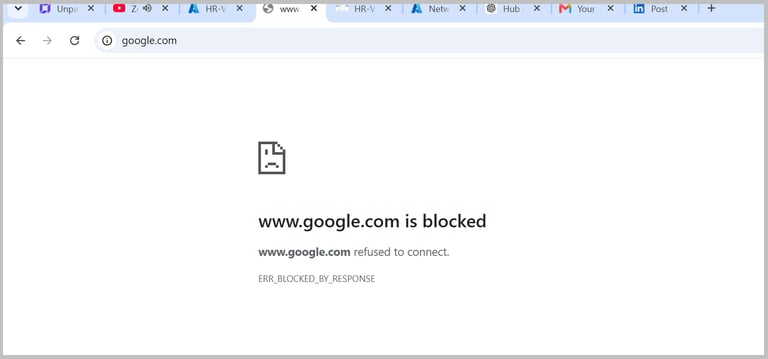
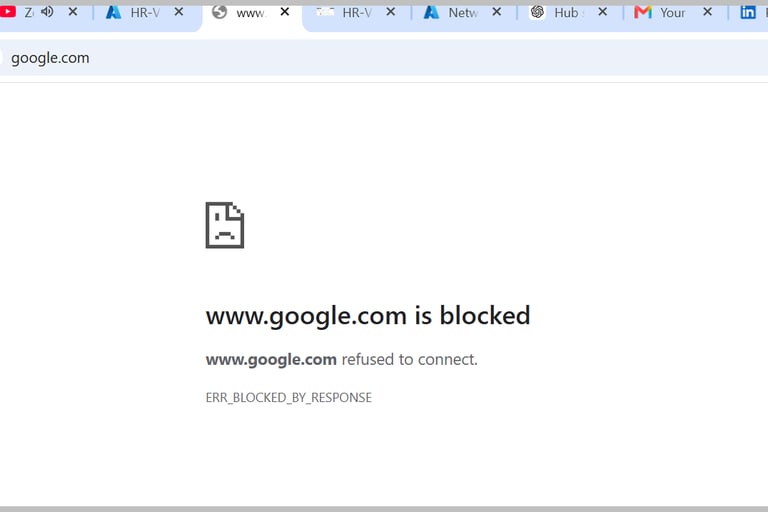
If you try to hit google, you will see it is blocked.
Ping Finance VM from HR VM via Hub
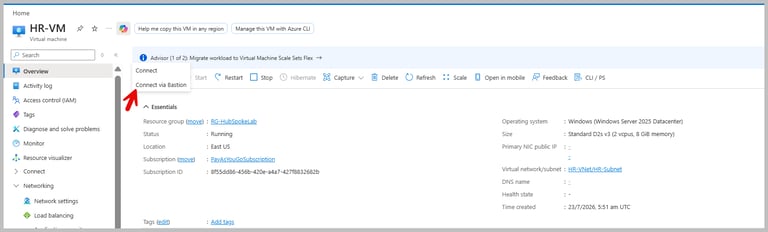
Login to HR VM (connect to VM via Bastion) and open powershell to run
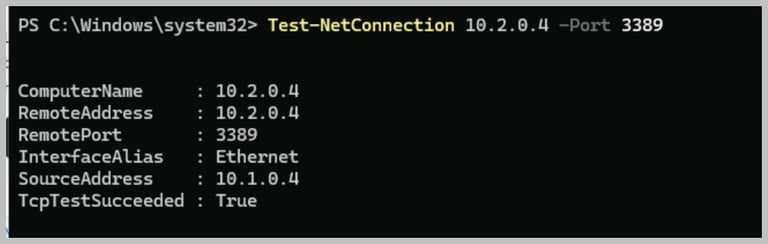
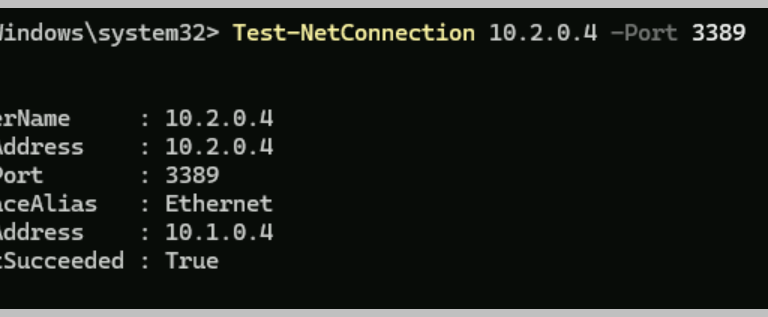
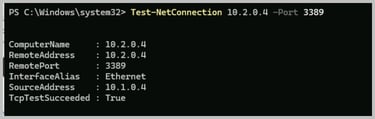
Test-NetConnection 10.2.0.4 -Port 3389
You should see TcpTestSucceeded: True (http/https runs on top of TCP).
By executing this command it checks if it can establish a TCP connection to port 3389?
Enable Azure Firewall Diagnostics:
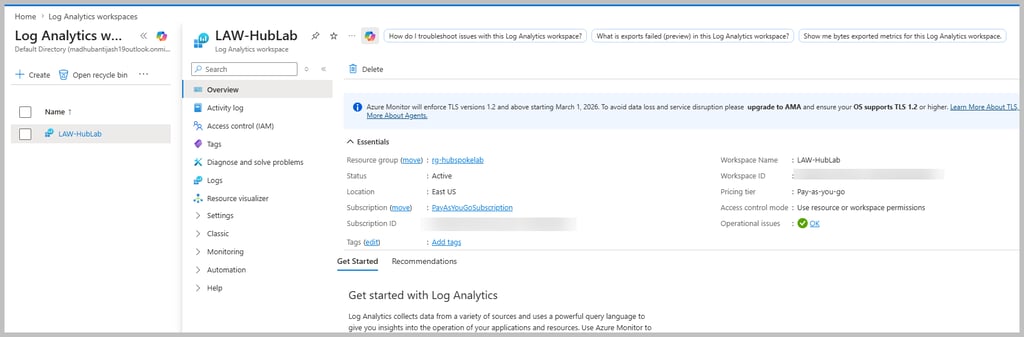
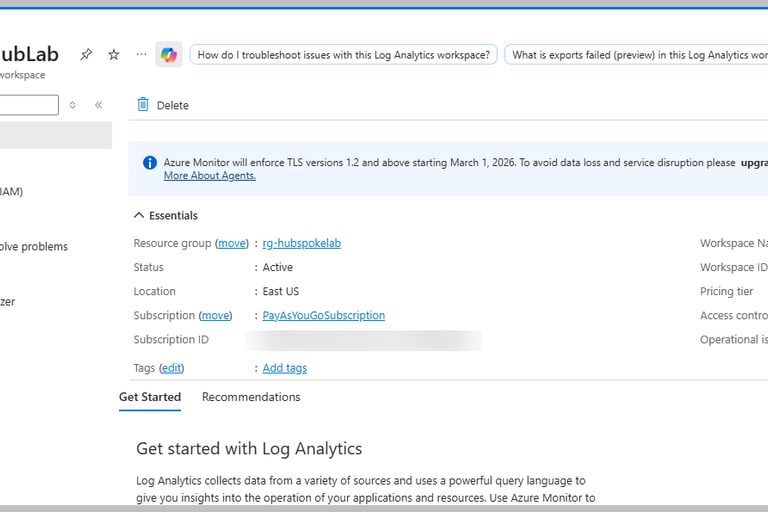
Create Log Analytics Workspace:
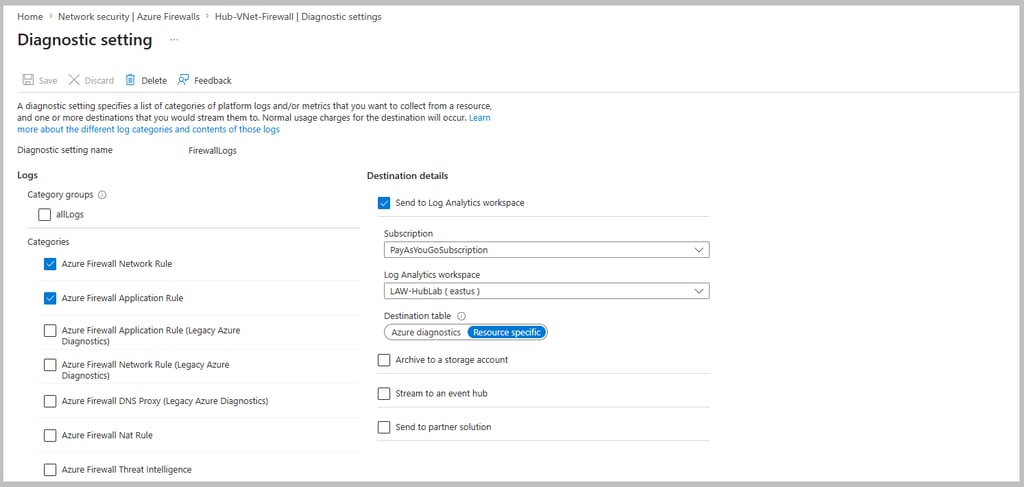
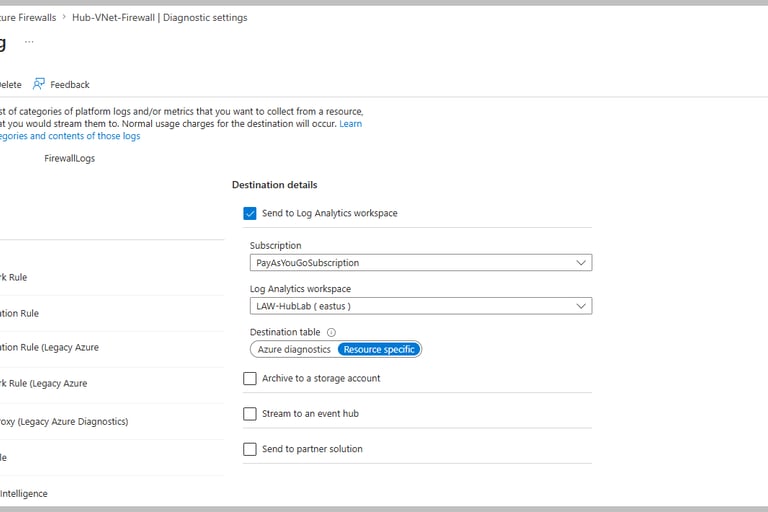
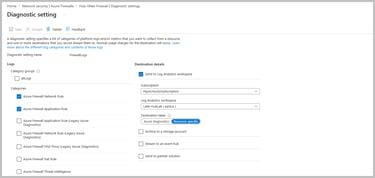
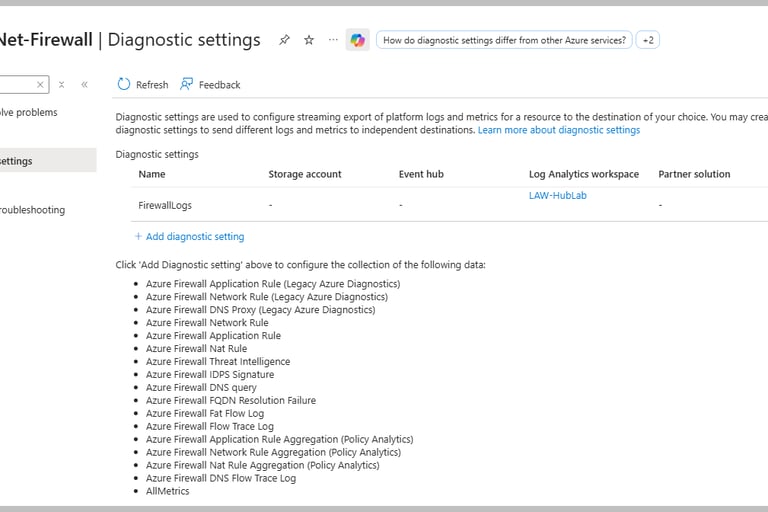
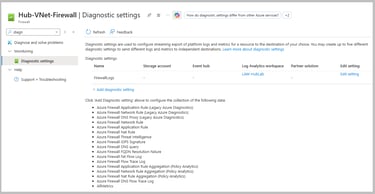
Enable diagnostic settings in firewall and connect to Log Analytics Workspace:
Enable Azure Firewall Network and Application rule,destination table as "Resource Specific".
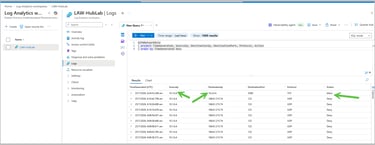
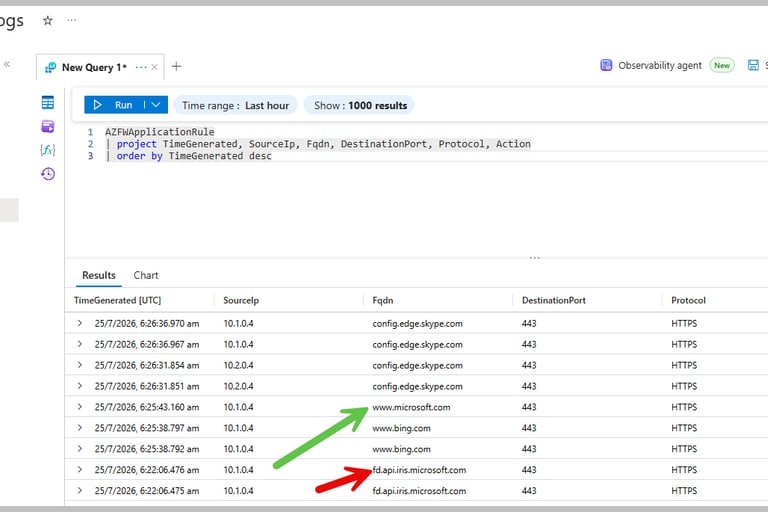
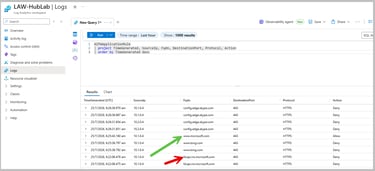
Go to the created Log Analytics Workspace and run following queries:
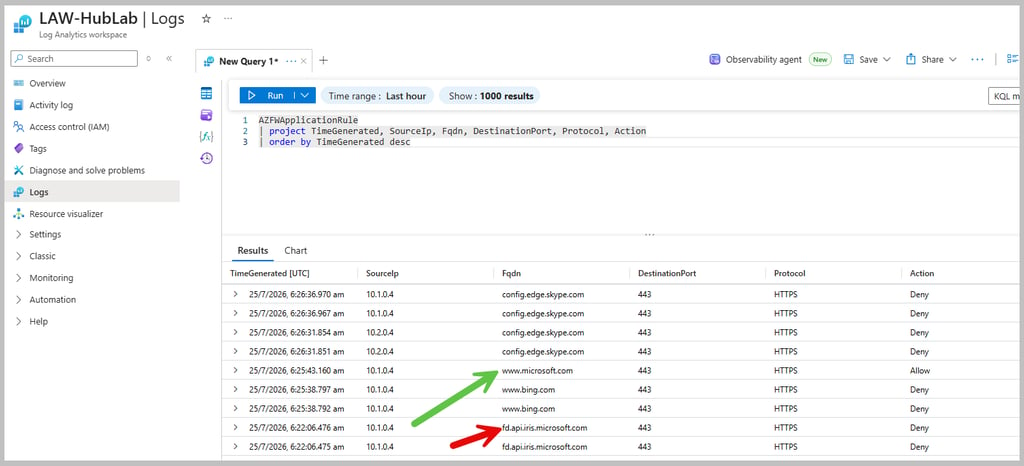
Application rule related:
Output:
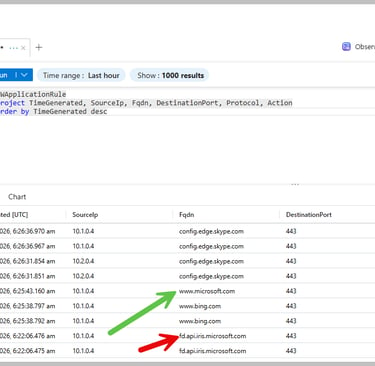
Notice here only www.microsoft.com was allowed, any subdomain of microsoft.com is not allowed.
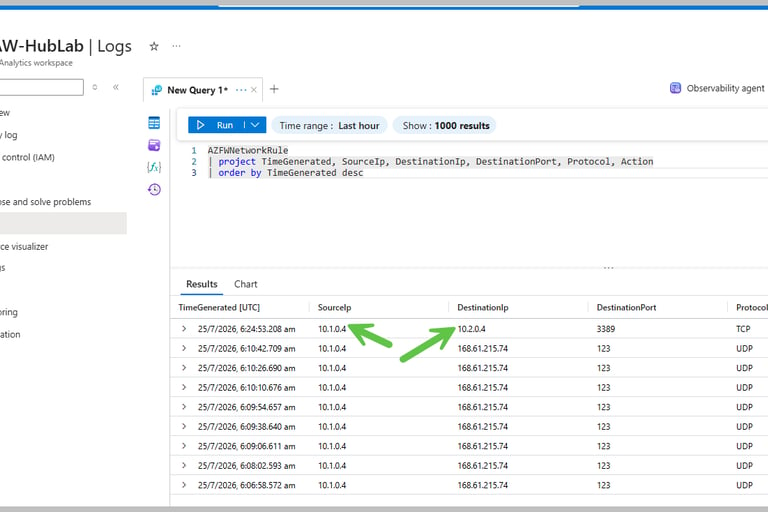
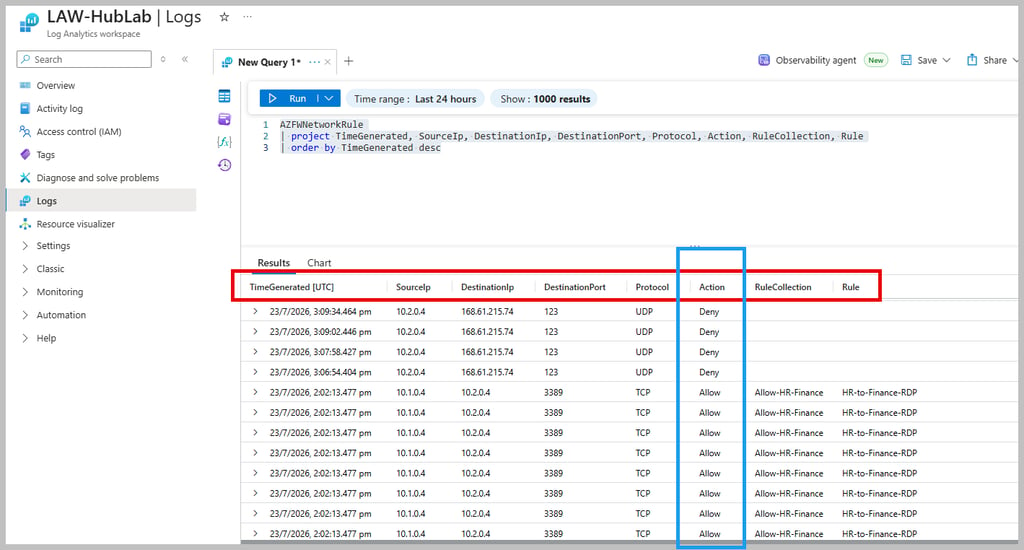
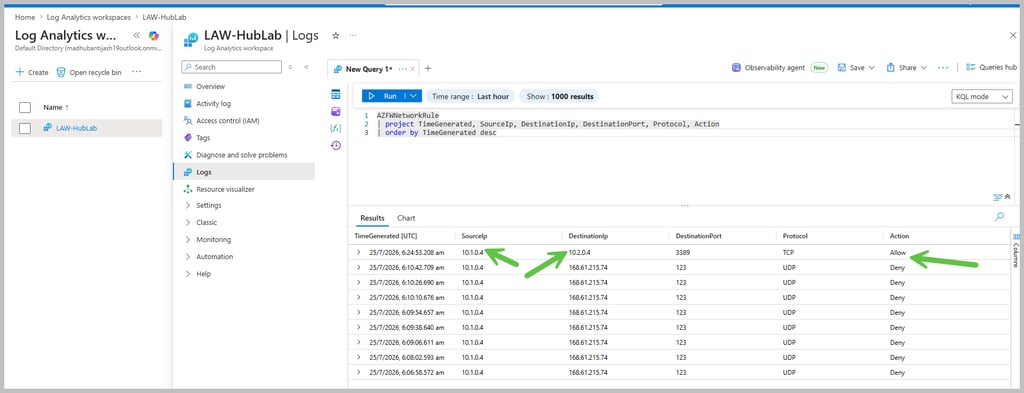
Similarly, perform check related to Network rule:
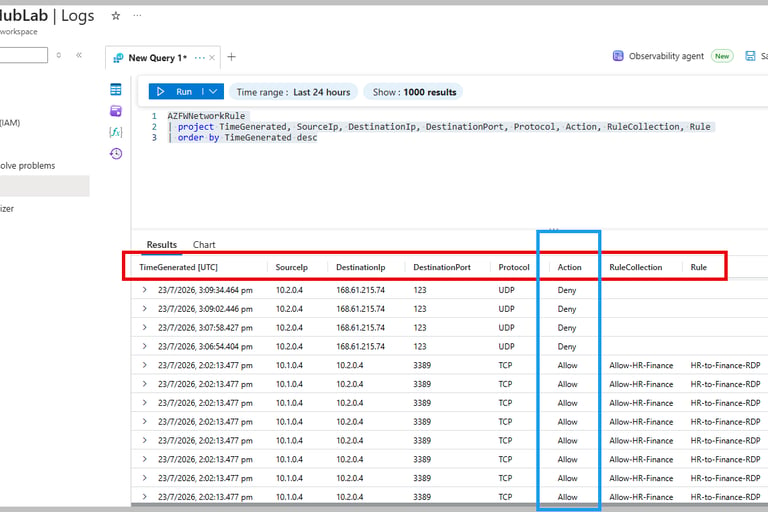
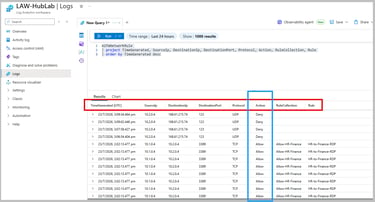
Output:
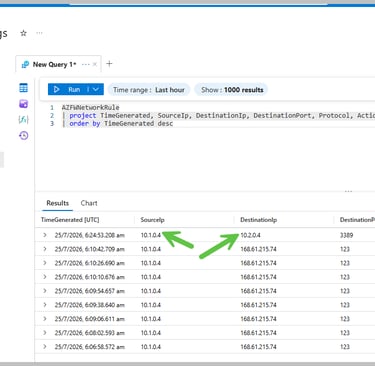
See the ping from HR to Finance VM is allowed.
Diagnose Traffic via Network Watcher:
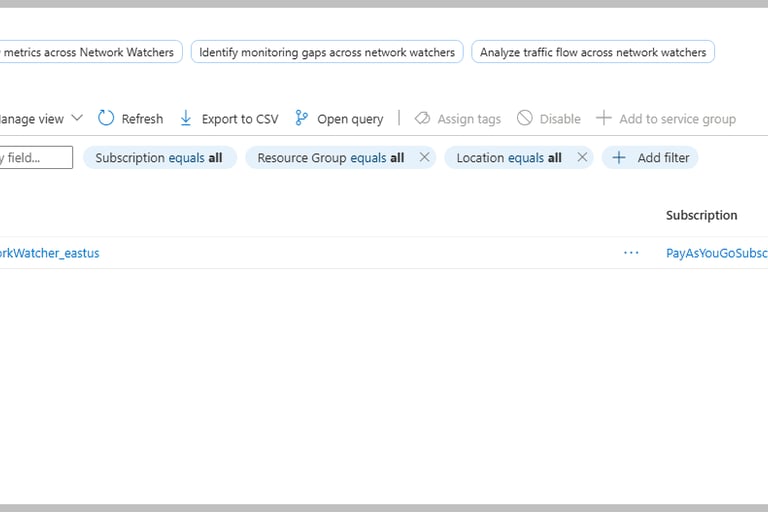
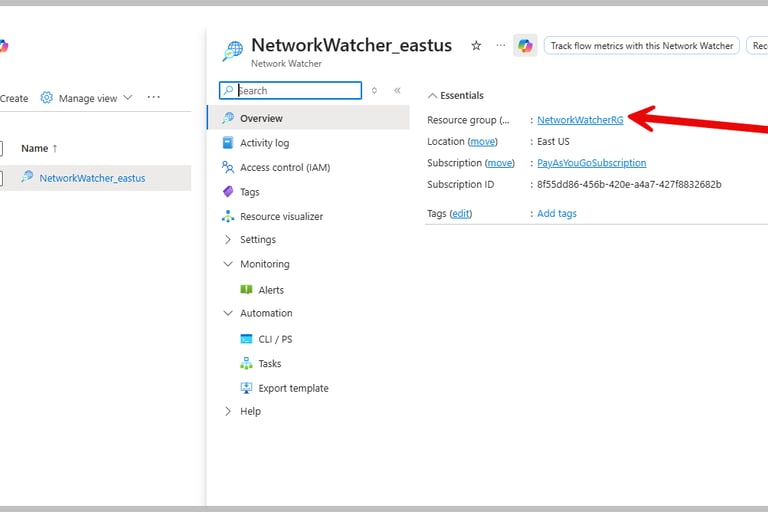
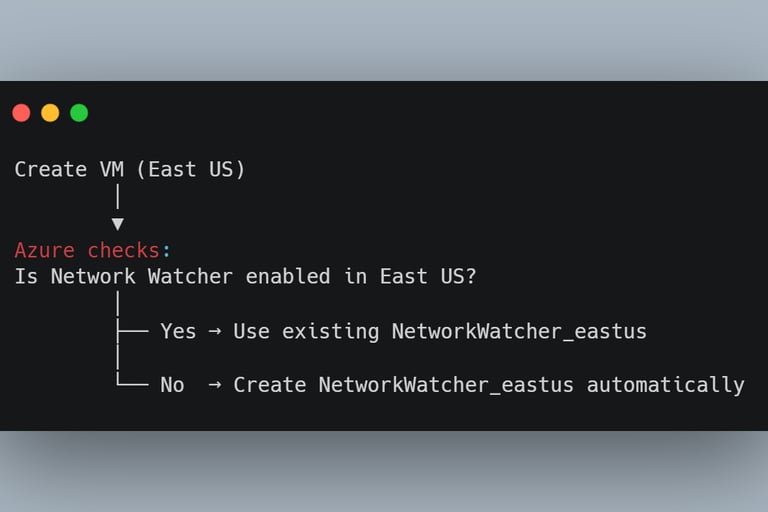
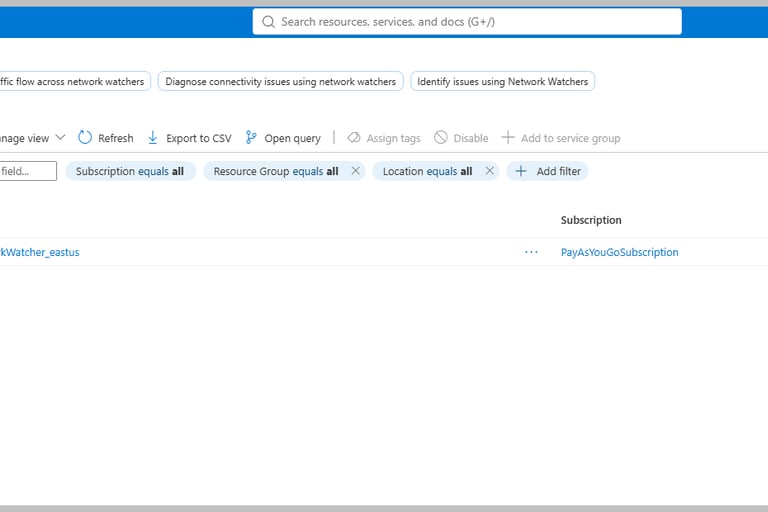
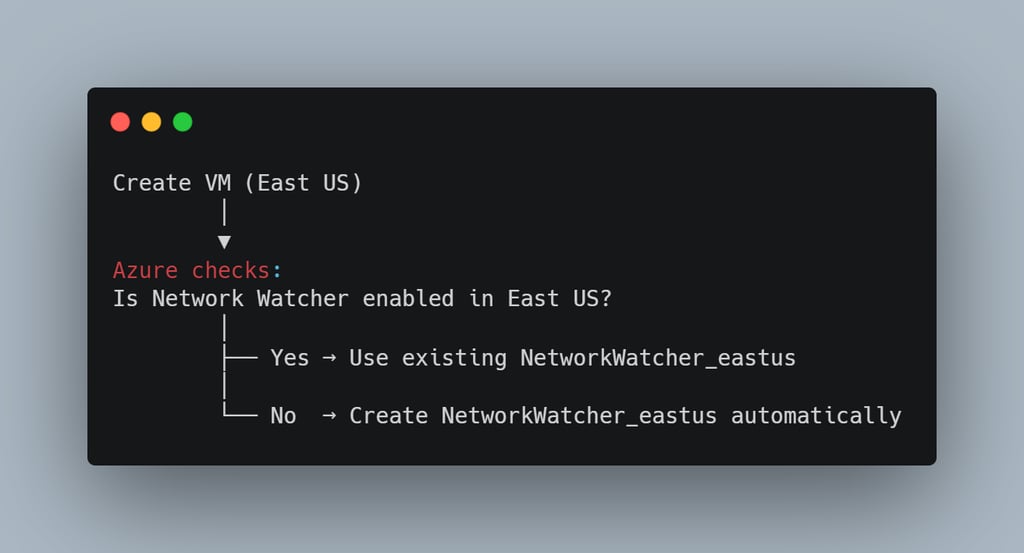
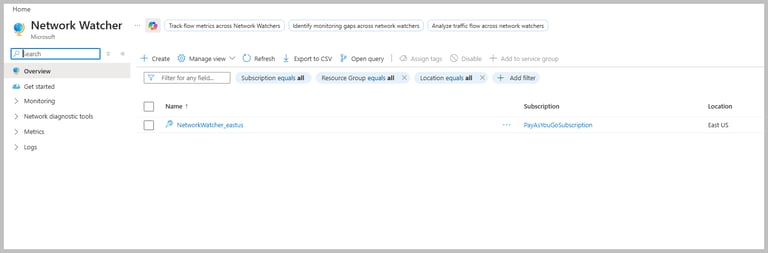
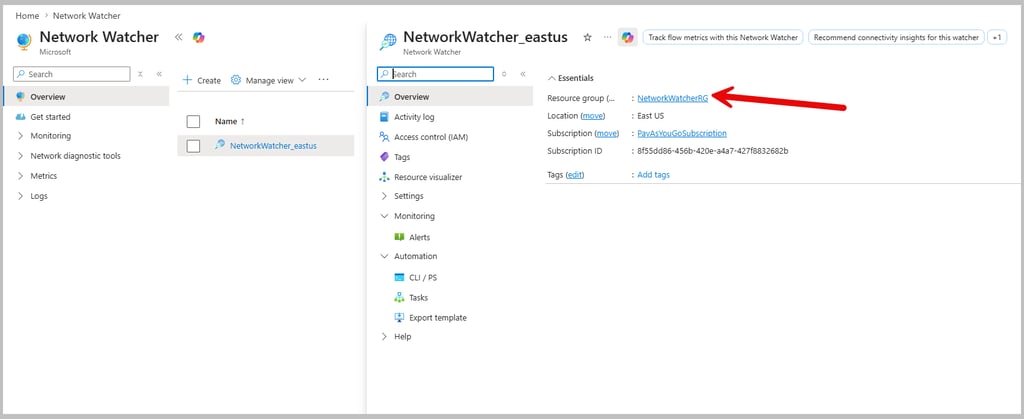
You will see Network Watcher resource instance is created automatically. This gets created when you create any network resources (VNET etc).
Our whole lab was so far in RG-HubSpokeLab but Network Watcher is created in different resource group.
This different resource group is chosen and managed by Azure.
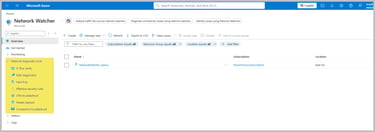
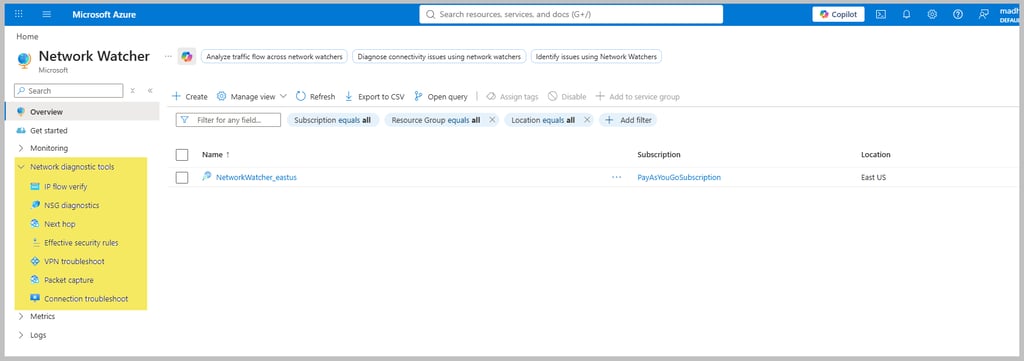
Features of Network watcher:
As earlier mentioned, if you see at left pane, you will see:
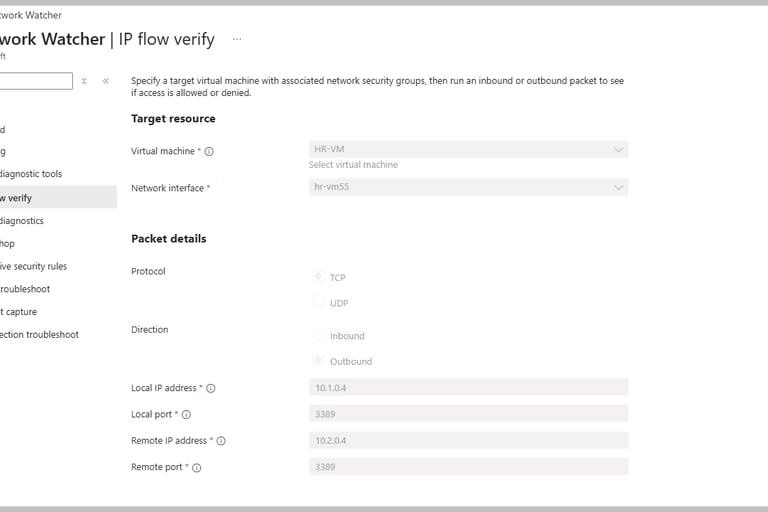
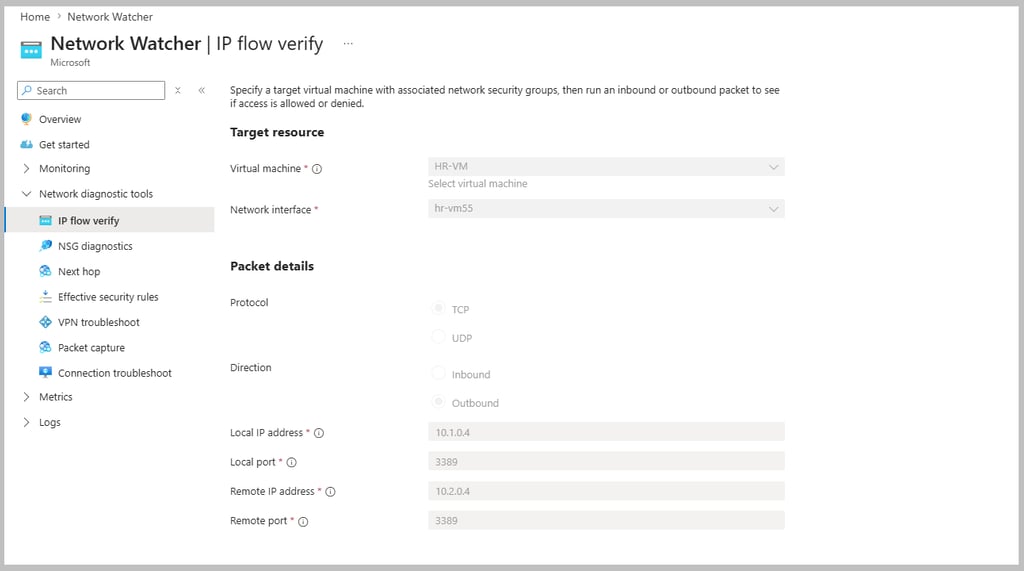
Let's open IP flow verify:
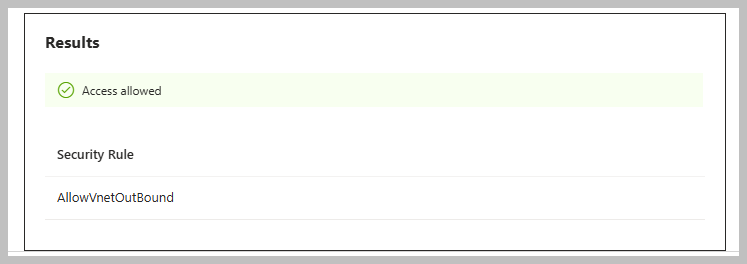
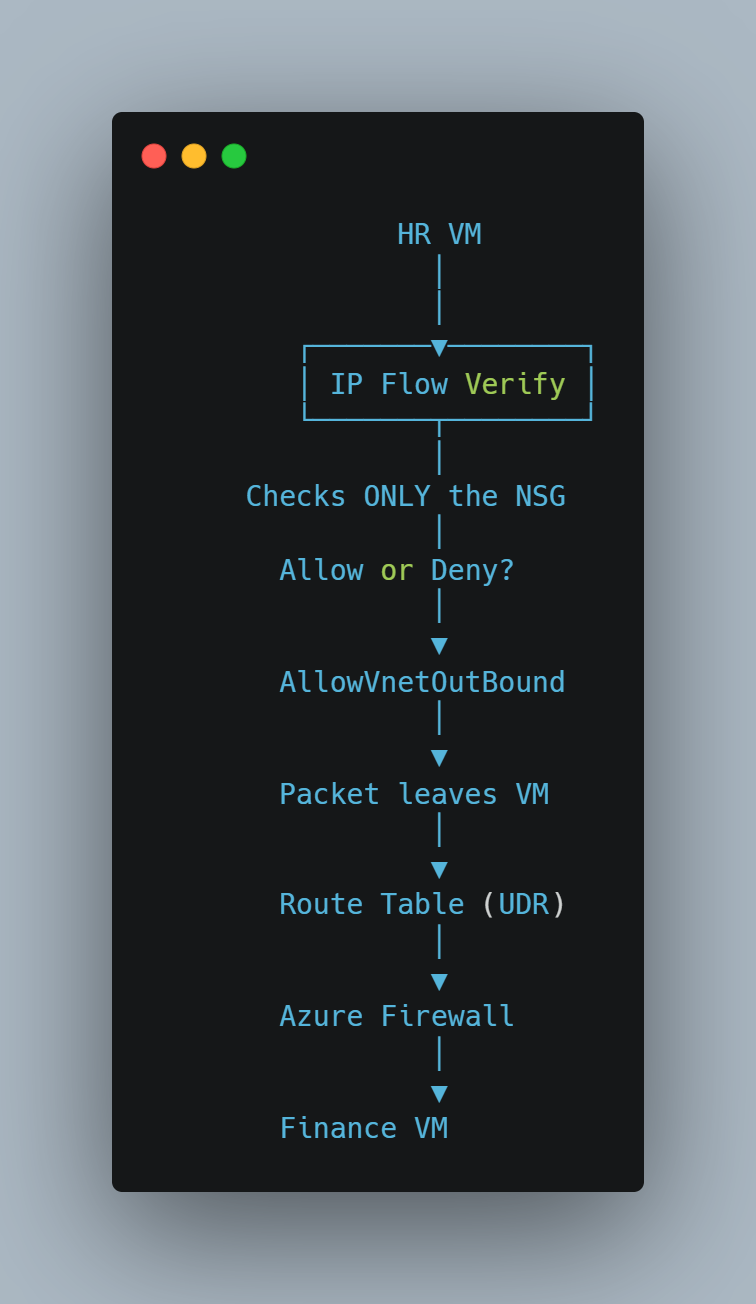
Here IP flow verify will check if the packet arrives with above parameters, will NSG allow or deny it?
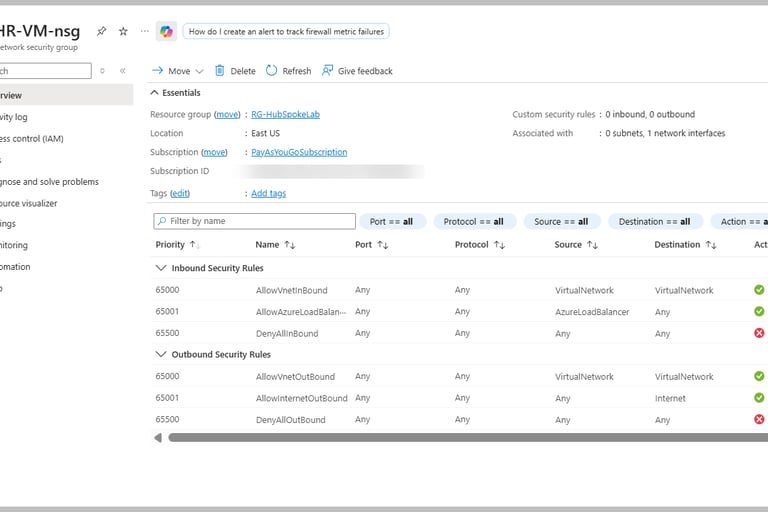
Since we have chosen HR VM as source and direction as outbound, only NSGs at HR VM's subnet and NIC will be evaluated.
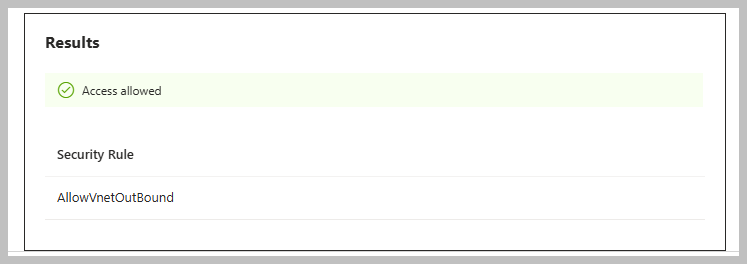
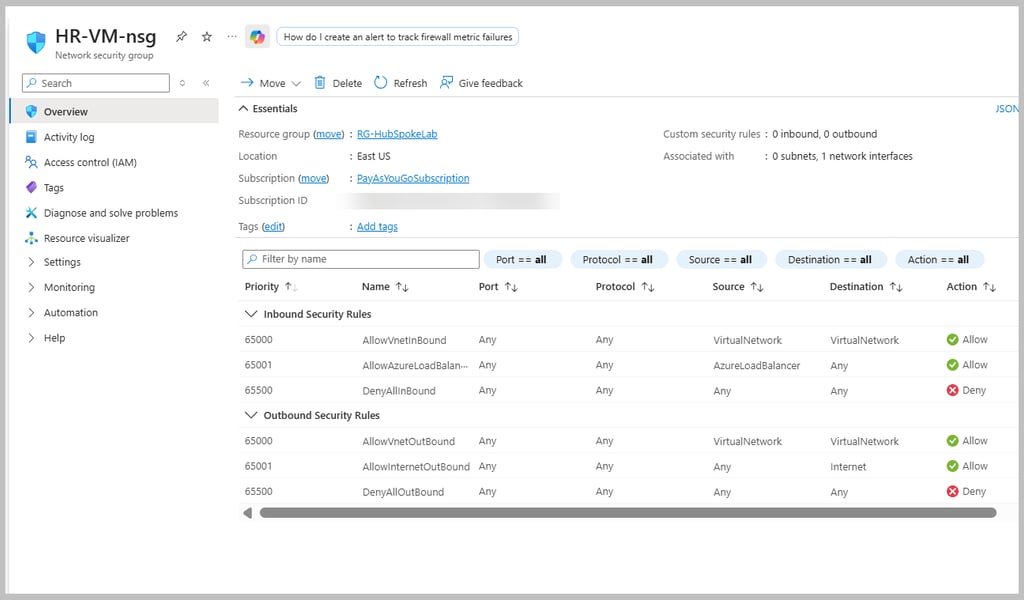
Now we have following NSG rules:
Result:
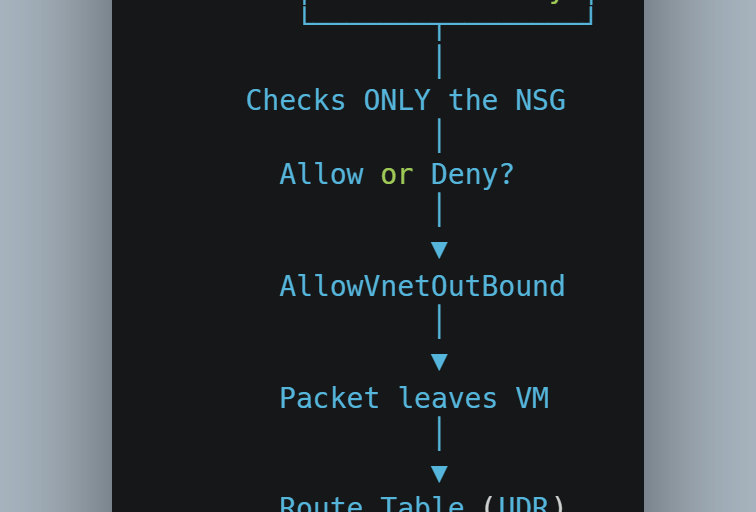
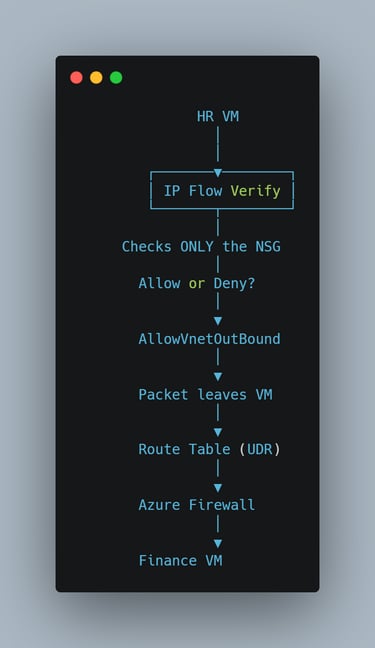
This is how full flow works:
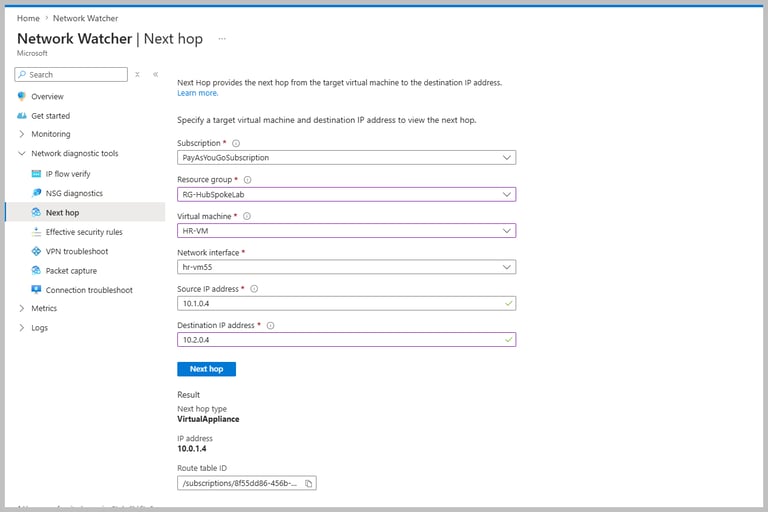
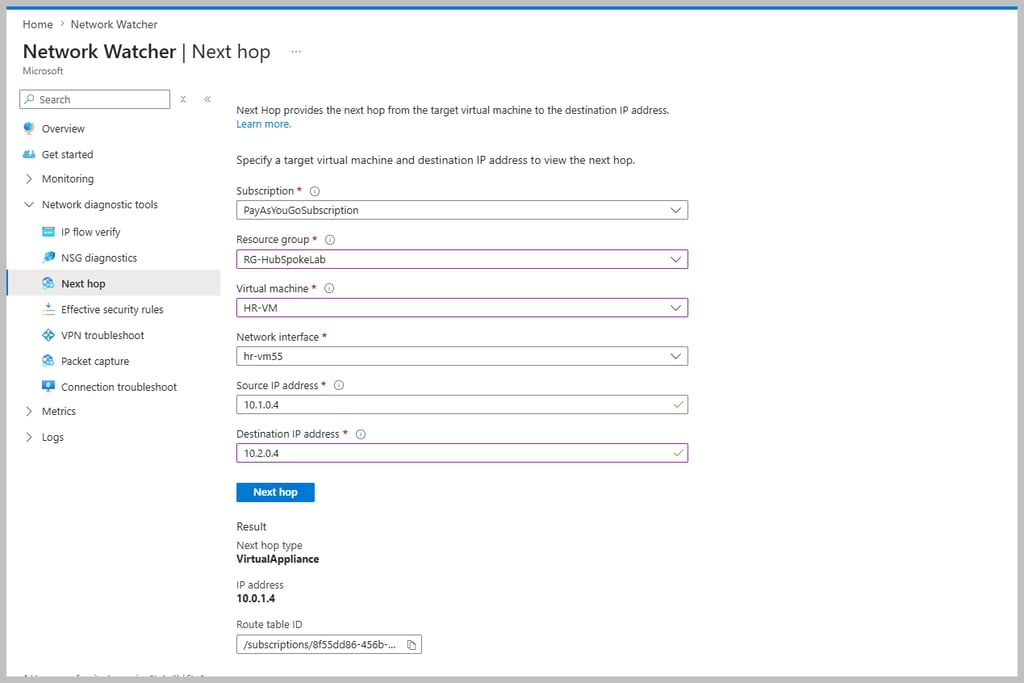
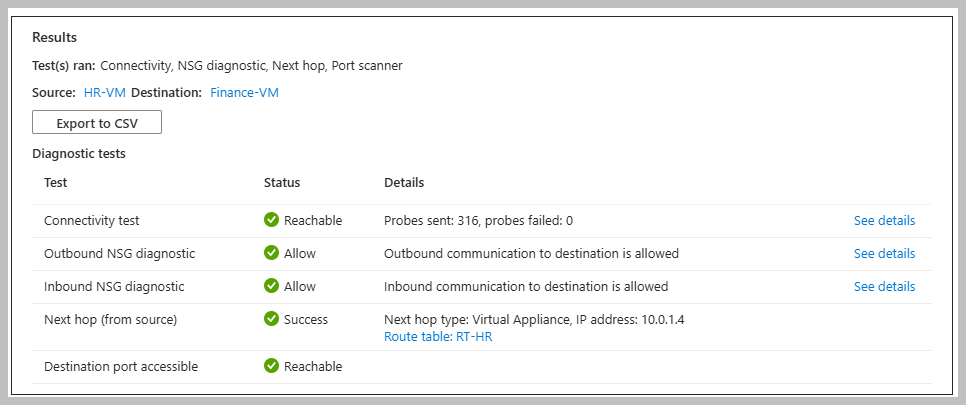
Now check Next Hop - you see for traffics from HR VM to Finance VM, Next Hop is Virtual Appliance (Firewall - see private IP address 10.0.1.4 of the deployed firewall):
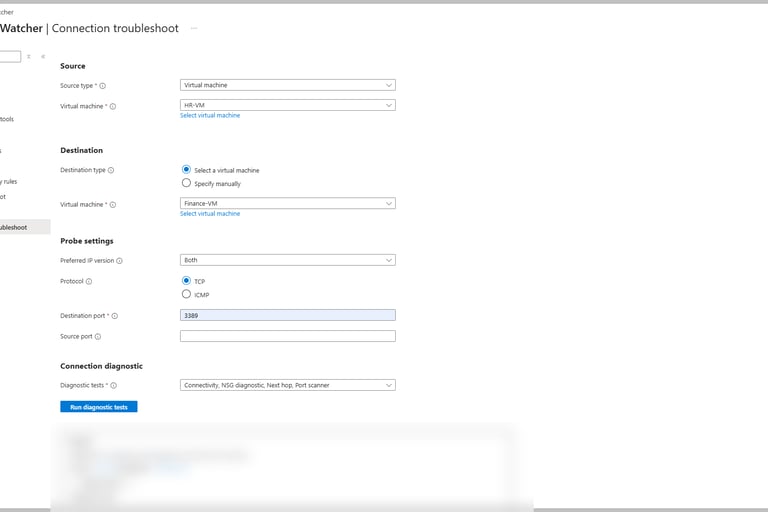
Connection Troubleshoot:
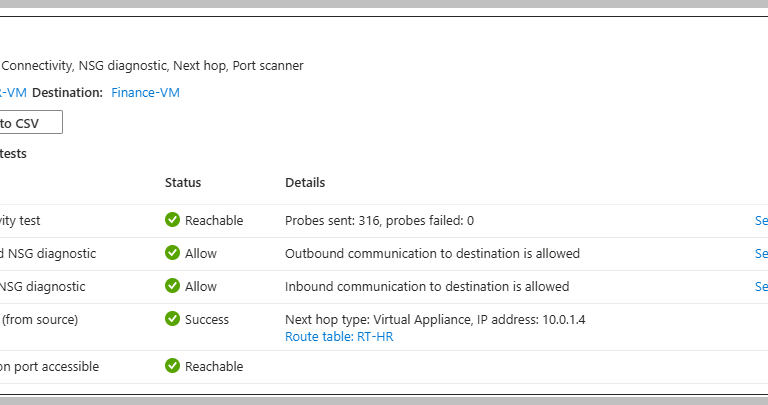
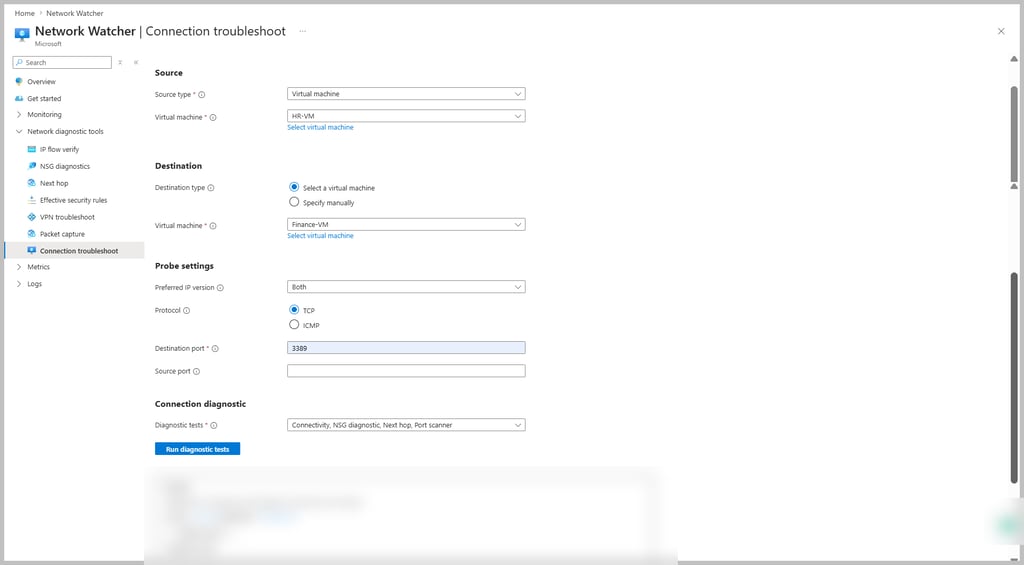
Unlike IP Flow Verify (which only checks against NSG rules) or Next Hop (Which only checks routing), Connection troubleshoot checks the every major step and informs if traffic can indeed reach from source to destination. If you are yet to explore NSG, check out here.
Result:
Common Troubleshooting/ FAQs:
Question: When I run Invoke-WebRequest https://www.microsoft.com, I get error
"The response content cannot be parsed because the Internet Explorer engine is not available, or Internet Explorer's first-launch configuration is not complete."
Answer: Instead run Invoke-WebRequest https://www.microsoft.com -UseBasicParsing. UseBasicParsing lets you only download the HTML instead of trying to render or parse it.
Question: Why no subdomains of microsoft.com is allowed to go through firewall traffic from HR VM to Finance VM?
Answer: In firewall application rule, we have used target FQDN www.microsoft.com instead of wildcard FQDN *.microsoft.com. There are also options of using FQDN tags for specific miccosoft services, for example:
WindowsUpdate
AzureBackup
AzureKubernetesService
MicrosoftActiveProtectionService
Question: What is Network Virtual Appliance (NVA)?
Answer: An NVA is a virtual machine based network appliance provided by third party vendor or built by your organization. It performs functions such as firewalling, intrusion prevention, routing, VPN, and traffic inspection.
Question: Why should I use NVA?
Answer: Many organizations already use products like Palo Alto, Fortinet, or Check Point in their on-premises data centers. When they move to cloud/Azure, they deploy same vendor's NVA instead of deploying Azure firewall.
Question: In SDR why state for 0.0.0.0/0 → Internet was shown invalid?
Answer: Because we had overridden the rule by UDR (where we defined Next Hop Type as Firewall)
Key Takeaways:
That's great, we have done a comprehensive study and hands-on lab on important components like SDR, UDR, Bastion, Firewall Logging, Network Watcher. We have learnt how they play an important role together to monitor, secure, diagnose network traffics in Hub-And-Spoke architecture. We also learnt how to validate connectivity using tools like Test-NetConnection, Azure Firewall logs, IP Flow Verify, Next Hop, and Connection Troubleshoot to verify our networking rules are working as expected.
In my next blog I shall cover Azure Private and Service endpoint, their use cases, differences and how they secure access to Azure PaaS services.
Sayonara, see you in my next blog. Reach out to me in Linkedin.
Previous Lesson (VNET Peering Simplified)
Next Lesson(Private Endpoint vs Service Endpoint)
#AZ104, #DevOps #CloudComputing #Azure #Nttworking



StatusCode : 200
StatusDescription : OK
Content :
<!DOCTYPE html><html xmlns:mscom="http://schemas.microsoft.com/CMSvNext"
xmlns:md="http://schemas.microsoft.com/mscom-data" lang="en-us"
xmlns="http://www.w3.org/1999/xhtml"><head>...
RawContent : HTTP/1.1 200 OK
AZFWApplicationRule
| project TimeGenerated, SourceIp, Fqdn, DestinationPort, Protocol, Action
| order by TimeGenerated desc
AZFWNetworkRule
| project TimeGenerated, SourceIp, DestinationIp, DestinationPort, Protocol, Action, RuleCollection, Rule
| order by TimeGenerated desc
In todays blog I shall cover:
Hub-And-Spoke architecture
System defined Route (SDR)
User Defined Route(UDR)
Bastion
Firewall Logging
Network Watcher
Practical lab covering:
Build the Hub-and-Spoke Network (We have 2 Spoke networks: HR and Finance)
Deploy Azure Firewall in Hub
Deploy Azure Bastion in Spoke
Deploy Windows Virtual Machines in Hub and each of the spokes
Configure Route Tables (UDRs)
Configure Azure Firewall Rules
Test Internet Access in each spoke
Ping Finance Spoke from HR Spoke via Hub
Enable Azure Firewall Diagnostics
Query Firewall Logs and check Network Watcher
Validate Routing
Validate NSGs
Connection Troubleshoot
Hub and Spoke Architecture and roles of different Azure Components:
Let us understand, how all of the above Azure components together play role in monitoring, securing and diagnosing traffic flow in Hub-And-Spoke architecture.
If you do not know about Hub-And-Spoke architecture, check out here the detailed guide.
What is System Defined Route (SDR)?
By default Azure creates communication roadmap between different resources that are connected to Azure Virtual Network through a NIC.
For example if a VM wants to communicate with another VM in the same virtual network, Azure automatically knows how to do that or if within from a VM, if you want to connect to the internet, Azure automatically creates route for that as well. When you have VMs in different VNET, once VNET peering is done, Azure creates default route for communication from VM to internet.
If you go to a VM→Connected devices→NIC→Effective Routes, you will see both SDR (default) and UDR (user defined routes).
Why internet rule is stated as invalid, we will understand in the troubleshooting section.
What is User Defined Route (UDR)?
Azure user/administrator creates user defined route. This custom route is needed when you want traffic to follow specific path instead of Azure's default route. For example, if you want from your VM when internet will to be accessed, the traffic needs to go via firewall instead of accessing internet straight, then you define UDR. The route rules are created in route table.
This looks like below. In later section, we will understand the details of the rules.
What is Bastion?
Azure Bastion is a fully managed Azure PaaS Service that lets you securely connect to your virtual machine via RDP (Windows) or via SSH (Linux) without exposing the VM to the internet.
What is Firewall Logging?
Firewall logging is the process of recording the network traffic that passes through or is blocked by firewall rule(s).
Why is Firewall logging important?
Security: Detect unauthorized access attempts.
Troubleshooting: Why the traffic is blocked.
Auditing: keep recording for compliance.
Monitoring: Analyze network usage and suspicious activity.
How the log looks like?
You need to connect to the designated Log Analytics Workspace and run the required Kusto Query Language. We will understand the details in the lab section.
What is Azure Network Watcher?
Azure Network Watcher is a regional network monitoring and diagnostic service that helps monitoring, diagnosing and troubleshooting Azure Network resources.
It has following features:
Benefits of using both: Firewall Logging and Network Watcher
Imagine Firewall logging as a CCTV camera at a gate who records which visitors arrived, who were allowed, who were denied. Network watcher is like mechanic's diagnostic tool which checks if the road is correct, there is any roadblock or if the destination is reachable.
Practical lab:
Build the Hub-and-Spoke Network (We would create 2 Spoke networks: HR and Finance)
Deploy Azure Firewall in Hub
Deploy Azure Bastion in Spoke
Deploy Windows Virtual Machines in Hub and each of the spokes
Configure Route Tables (UDRs)
Configure Azure Firewall Rules
Test Internet Access in each spoke
Ping Finance Spoke from HR Spoke via Hub
Enable Azure Firewall Diagnostics
Query Firewall Logs and check Network Watcher
Validate Routing
Validate NSGs
Connection Troubleshoot
We will do whole lab under resource group: RG-HubSpokeLab
Create Hub VNET
Enable Bastion and firewall (as we will have all shared services centralized in Hub)
Once you enable them, it will ask for new public ip. For Bastion, give name of public ip as hub-vnet-bastion and for firewall give name of the public ip as hub-vnet-firewall.
In Address Space Section, I am choosing VNET address space 10.0.0.0/16 and ensure you create/have 3 subnets:
Once you click create, it would take 15-20 mins to deploy as it will also create Bastion and Firewall.
After creation, the Hub VNET will look like:
This is Firewall overview:
This is Bastion overview:
Create HR Spoke VNET:
For VNET, I have chosen the address space 10.1.0.0/16 and for subnet (give name:HR-Subnet) the address space is 10.1.0.0/24
Create Finance Spoke VNET:
Choose address space 10.2.0.0/16. For subnet Finance-Subnet, address space is 10.2.0.0/24
Create windows VM in each of the spoke VNETs:
I have chosen Windows (Windows Server 2025 Datacenter) as image.
As we shall connect via Bastion, choose public inbound ports and public ip as none:
Configure Route Table and add user defined routes (UDR) /associate subnet for Finance Spoke VNET:
Finance_To_HR route ensures that any traffic from finance to HR goes via firewall.
RT_Finance route ensures any internet traffic from Finance goes via firewall as well.
Associate Finance Subnet.
(It is a typo from my side that I put Finance Spoke subnet name as Finance-VNET, name it as Finance-Subnet when you do the practical)
Do similar with HR:
Configure Azure Firewall Rules:
We shall create rules under Network Rule and Application Rule Collection:
First let us check the network rules.
This is how individual rules look like:
What does these network rules mean?
The HR-To-Finance-RDP rule implies any VM in the subnet of HR Spoke (10.1.0.0/24) can connect to any VM in the subnet of Finance Spoke (10.2.0.0/24) over destination port 3389. Destination port 3389 means allow traffic only if destination service is listening on port 3389. The Finance VM is running the remote desktop service (RDP). Windows RDP listens on TCP 3389.
Similar way Finance-to-HR-RDP rule is inferred.
Let us now explore application rules.
Let us now understand the individual application rules:
AllowMS-HR says if a VM in HR subnet tries to browse the internet and wants to reach www.microsoft.com via http/https,then the traffic should be allowed. But it won't allow traffic to google.com or login.microsoft.com from the VM in HR subnet.
Similar way infer AllowMS-Finance.
Test Internet Access in each spoke:
Login to HR VM and open powershell and run
Invoke-WebRequest https://www.microsoft.com -UseBasicParsing
You should receive following response:
Similar way try from Finance VM.
If you try to hit google, you will see it is blocked.
Ping Finance VM from HR VM via Hub
Login to HR VM (connect to VM via Bastion) and open powershell to run
Test-NetConnection 10.2.0.4 -Port 3389
You should see TcpTestSucceeded: True (http/https runs on top of TCP).
By executing this command it checks if it can establish a TCP connection to port 3389?
Enable Azure Firewall Diagnostics:
Create Log Analytics Workspace:
Enable diagnostic settings in firewall and connect to Log Analytics Workspace:
Enable Azure Firewall Network and Application rule,destination table as "Resource Specific".
Go to the created Log Analytics Workspace and run following queries:
Application rule related:
Output:
Notice here only www.microsoft.com was allowed, any subdomain of microsoft.com is not allowed.
Similarly, perform check related to Network rule:
Output:
See the ping from HR to Finance VM is allowed.
Diagnose Traffic via Network Watcher:
You will see Network Watcher resource instance is created automatically. This gets created when you create any network resources (VNET etc).
Our whole lab was so far in RG-HubSpokeLab but Network Watcher is created in different resource group.
This different resource group is chosen and managed by Azure.
Features of Network watcher:
As earlier mentioned, if you see at left pane, you will see:
Let's open IP flow verify:
Here IP flow verify will check if the packet arrives with above parameters, will NSG allow or deny it?
Since we have chosen HR VM as source and direction as outbound, only NSGs at HR VM's subnet and NIC will be evaluated.
Now we have following NSG rules:
Result:
This is how full flow works:
Now check Next Hop - you see for traffics from HR VM to Finance VM, Next Hop is Virtual Appliance (Firewall - see private IP address 10.0.1.4 of the deployed firewall):
Connection Troubleshoot:
Unlike IP Flow Verify (which only checks against NSG rules) or Next Hop (Which only checks routing), Connection troubleshoot checks the every major step and informs if traffic can indeed reach from source to destination. If you are yet to explore NSG, check out here.
Result:
Common Troubleshooting/ FAQs:
Question: When I run Invoke-WebRequest https://www.microsoft.com, I get error
"The response content cannot be parsed because the Internet Explorer engine is not available, or Internet Explorer's first-launch configuration is not complete."
Answer: Instead run Invoke-WebRequest https://www.microsoft.com -UseBasicParsing. UseBasicParsing lets you only download the HTML instead of trying to render or parse it.
Question: Why no subdomains of microsoft.com is allowed to go through firewall traffic from HR VM to Finance VM?
Answer: In firewall application rule, we have used target FQDN www.microsoft.com instead of wildcard FQDN *.microsoft.com. There are also options of using FQDN tags for specific miccosoft services, for example:
WindowsUpdate
AzureBackup
AzureKubernetesService
MicrosoftActiveProtectionService
Question: What is Network Virtual Appliance (NVA)?
Answer: An NVA is a virtual machine based network appliance provided by third party vendor or built by your organization. It performs functions such as firewalling, intrusion prevention, routing, VPN, and traffic inspection.
Question: Why should I use NVA?
Answer: Many organizations already use products like Palo Alto, Fortinet, or Check Point in their on-premises data centers. When they move to cloud/Azure, they deploy same vendor's NVA instead of deploying Azure firewall.
Question: In SDR why state for 0.0.0.0/0 → Internet was shown invalid?
Answer: Because we had overridden the rule by UDR (where we defined Next Hop Type as Firewall)
Key Takeaways:
That's great, we have done a comprehensive study and hands-on lab on important components like SDR, UDR, Bastion, Firewall Logging, Network Watcher. We have learnt how they play an important role together to monitor, secure, diagnose network traffics in Hub-And-Spoke architecture. We also learnt how to validate connectivity using tools like Test-NetConnection, Azure Firewall logs, IP Flow Verify, Next Hop, and Connection Troubleshoot to verify our networking rules are working as expected.
In my next blog I shall cover Azure Private and Service endpoint, their use cases, differences and how they secure access to Azure PaaS services.
Sayonara, see you in my next blog. Reach out to me in Linkedin.
#AZ104, #DevOps #CloudComputing #Azure #Nttworking
StatusCode : 200
StatusDescription : OK
Content :
<!DOCTYPE html><html xmlns:mscom="http://schemas.microsoft.com/CMSvNext"
xmlns:md="http://schemas.microsoft.com/mscom-data" lang="en-us"
xmlns="http://www.w3.org/1999/xhtml"><head>...
RawContent : HTTP/1.1 200 OK
AZFWApplicationRule
| project TimeGenerated, SourceIp, Fqdn, DestinationPort, Protocol, Action
| order by TimeGenerated desc
AZFWNetworkRule
| project TimeGenerated, SourceIp, DestinationIp, DestinationPort, Protocol, Action, RuleCollection, Rule
| order by TimeGenerated desc





StatusCode : 200
StatusDescription : OK
Content :
<!DOCTYPE html><html xmlns:mscom="http://schemas.microsoft.com/CMSvNext"
xmlns:md="http://schemas.microsoft.com/mscom-data" lang="en-us"
xmlns="http://www.w3.org/1999/xhtml"><head>...
RawContent : HTTP/1.1 200 OK
AZFWApplicationRule
| project TimeGenerated, SourceIp, Fqdn, DestinationPort, Protocol, Action
| order by TimeGenerated desc
AZFWNetworkRule
| project TimeGenerated, SourceIp, DestinationIp, DestinationPort, Protocol, Action, RuleCollection, Rule
| order by TimeGenerated desc